Add My Business to Google: A Complete Guide to Google Business Listing
Learn how to add your business to Google for free, create a Google Business Profile, verify your listing, appear on Google Maps, and improve local SEO visibility.
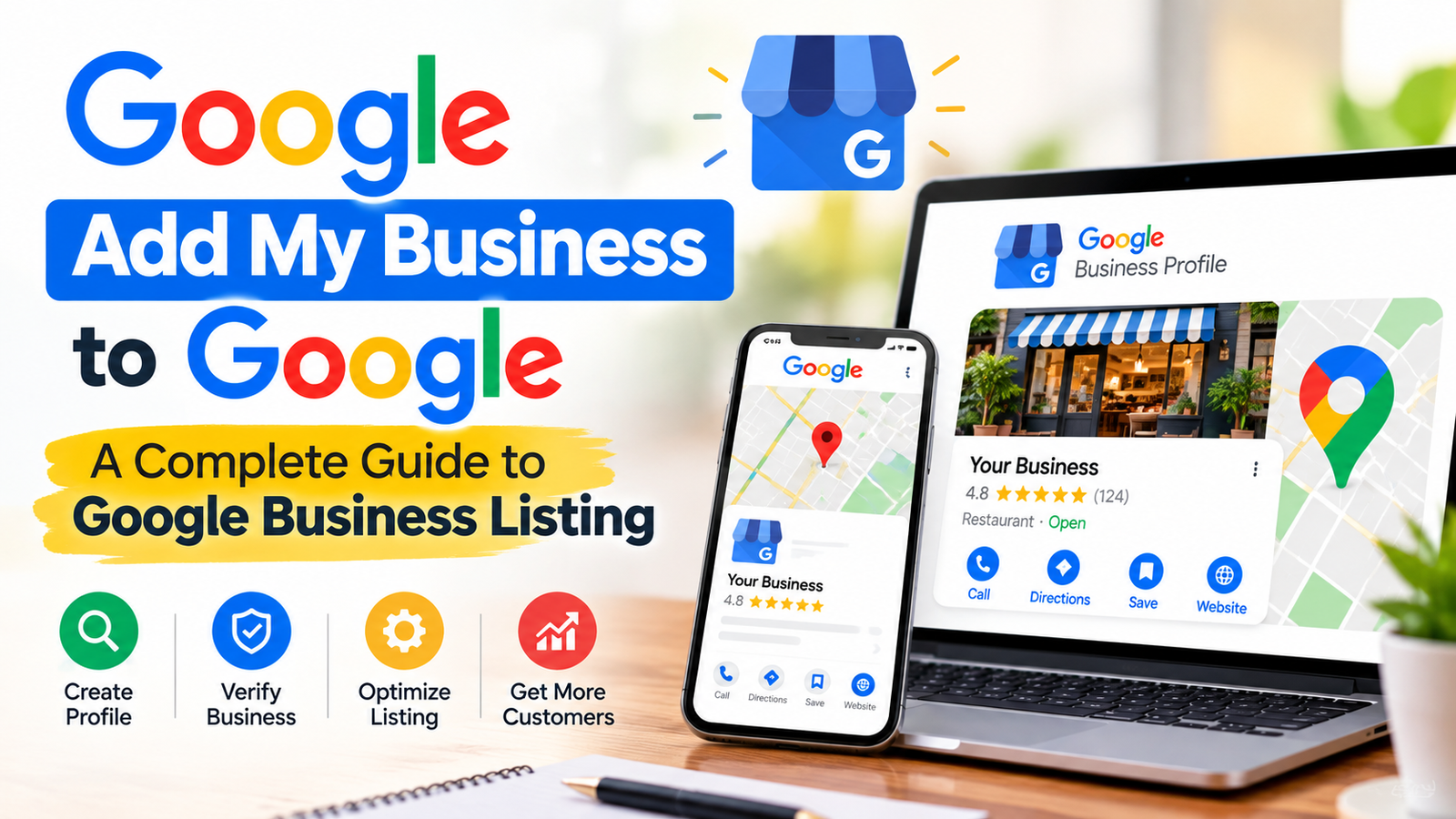
Add my business to Google is one of the most common searches made by business owners who want to improve their online visibility and attract more local customers. Whether you run a retail shop, restaurant, consultancy, salon, repair service, or small business, creating a Google Business Profile can help customers find your business through Google Search and Google Maps.
A Google business listing allows you to display important information such as your business name, address or service area, phone number, website, opening hours, photos, services, and customer reviews. When people search for local services near them, an accurate business profile can help them discover relevant businesses and contact them directly.
Many entrepreneurs also search for terms such as add business to Google, register my business with Google, Google My Business free, list my business on Google Maps, and free business listing on Google. These searches generally reflect the same goal: making a business easier to find online.
A professional online presence starts with a well-designed website, and our website development services can help businesses build a responsive website that showcases their products and services.
Google's current business management platform is called Google Business Profile. It replaced the familiar Google My Business branding. Eligible businesses can create and manage their profiles without paying a Google listing creation fee, although advertising, professional assistance, and other third-party services may involve separate charges.
This guide explains how to create, verify, optimize, and manage your business listing, along with additional business directories and local SEO strategies.
Add My Business to Google: What Is a Google Business Profile?
Add my business to Google begins with understanding the Google Business Profile platform. It is a business information tool that helps eligible businesses appear in Google Search and Google Maps.
A Google business page can display essential details, including:
- Business name and primary category
- Business address or service area
- Contact number and website
- Business hours and holiday timings
- Products, services, and available facilities
- Photos, updates, and customer reviews
For example, if someone searches for a bakery near them, Google may display relevant bakeries with their locations, opening hours, reviews, and directions. A complete and accurate profile gives customers useful information before they visit or contact a business.
Google Business Profile is particularly useful for businesses that serve customers in person, either at their business premises or at customers' locations.
Register My Business with Google: Who Is Eligible?
Register my business with Google is a suitable step for eligible businesses that interact with customers in person. Eligibility depends on the nature of the business and how it serves customers.
Businesses that may qualify include:
- Retail stores and local shops
- Restaurants, cafes, and bakeries
- Salons and beauty parlours
- Plumbers, electricians, and repair professionals
- Consultants and professional service providers who meet Google's eligibility requirements
- Service-area businesses that visit customers
- Other eligible businesses with physical customer interactions
A business that operates entirely online without qualifying in-person customer contact is generally not eligible for a Google Business Profile.
If you operate from home and visit customers, you may qualify as a service-area business. You can set your service area and hide your residential address when customers do not visit your home.
Always follow Google's business representation and eligibility guidelines before creating a listing.
Add Business to Google: Step-by-Step Registration Process
Add business to Google by following the official registration process. Before starting, prepare your correct business name, business category, contact details, website, and address or service-area information.
Step 1: Open the Google Business Profile Website
Visit https://www.google.com/business/ and sign in with the Google account you want to use to manage the business.
Step 2: Enter Your Business Name
Enter your real-world business name as customers know it. Avoid adding unnecessary keywords, locations, promotional phrases, or phone numbers to the name unless they genuinely form part of your established business name.
Step 3: Select a Business Category
Choose the category that best describes your main business activity. For example, a restaurant should generally select a relevant restaurant category rather than an unrelated category chosen only to gain visibility.
You may be able to add additional categories when appropriate.
Step 4: Add Your Business Location or Service Area
If customers visit your premises, provide the accurate business address. If you travel to customers and do not serve them at your address, configure your profile as a service-area business and hide the address when appropriate.
Step 5: Add Contact Details
Provide your business phone number and website, if available. Make sure the information is accurate and consistent with the details customers see on your website and other business directories.
Step 6: Complete Verification
Google may ask you to verify that you are authorized to manage the business. Available verification methods depend on Google's assessment of your business and may include video recording, phone, email, or other options where offered.
Step 7: Complete Your Profile
Add your opening hours, services, business description, photos, and other relevant details. Once the profile is available, review it regularly to keep the information accurate.
Google My Business Free: Can You List Your Business Without Paying?
Google My Business free remains a popular search phrase, although the platform is now known as Google Business Profile.
Creating and managing an eligible Google Business Profile is generally free. You do not need to purchase Google Ads to create an ordinary business listing.
A free profile can help you:
- Show business information on Google Search and Maps
- Share contact details and opening hours
- Upload relevant business photos
- Receive and respond to customer reviews
- Publish eligible updates and offers
- Help customers request directions or contact your business
However, free Google listing does not mean that every service associated with local marketing is free. Advertising campaigns, website development, paid SEO services, and third-party listing management may cost money.
Be careful with service providers who claim that you must pay Google simply to create an ordinary eligible business profile. Check the official Google website before paying for any listing-related service.
Google Business Listing: How to Optimize Your Profile
Google business listing optimization helps customers understand what your business offers. Creating a profile is only the first step; accurate information and useful content make it more helpful.
Google Business Optimization: Complete Every Relevant Field
Add the information requested by Google, including your business category, contact information, hours, services, and business description. Do not add information that does not apply to your business.
Google Maps Business Listing: Upload Genuine Photos
Use clear, recent photographs of your premises, products, team, equipment, or completed work. Genuine images help customers understand what to expect.
SEO for Google My Business: Choose Relevant Categories
Select the most accurate primary category and use additional categories only when they genuinely describe your business.
GMB Optimization Services: Maintain Accurate Information
If your opening hours, phone number, address, or services change, update your profile promptly. Inconsistent information can confuse potential customers.
Google Business SEO: Encourage Genuine Customer Reviews
Invite satisfied customers to leave honest reviews without offering incentives in exchange for positive feedback. Respond professionally to both positive and negative reviews.
Local Business Marketing: Publish Useful Updates
Where available, use profile posts to share relevant business updates, new services, events, and offers. Keep every update accurate and helpful.
Verify Business on Google: How Does Verification Work?
Verify business on Google is an important part of establishing control over a business profile. Verification helps Google confirm that the person managing the profile is authorized to represent the business.
After entering your business details, Google will display the verification methods available for that profile. Depending on the business, these may include video verification, phone, email, or another supported method.
Follow the instructions displayed in your account. If Google requests a video, it may require evidence such as your business location, signage, equipment, or access to business operations. Provide only the evidence requested and avoid showing sensitive personal information unnecessarily.
Google My Business Verification: What If Verification Fails?
If verification fails, check that your business name, address, category, and other details are accurate. Review the verification instructions and submit the required evidence again if Google permits it.
Do not create multiple duplicate profiles to bypass a verification problem. If the business is already listed, you may need to request access to the existing profile instead.
Google My Business Postcard: Is Postcard Verification Still Available?
Google My Business postcard verification is a familiar older search term. Postcard verification is not available to every business today. The methods offered depend on Google's current verification process and the individual listing.
Always use the method shown in your Google Business Profile rather than relying on outdated tutorials.
List My Business on Google Maps: How to Improve Local Discovery
List my business on Google Maps is a useful goal for eligible businesses that want customers to find their location or service area.
Once a profile is created and the relevant requirements are met, the business may appear on Google Maps and in local search results. However, creating a listing does not guarantee immediate visibility or a particular ranking.
To improve your local presence:
- Keep your name, address, and phone number accurate.
- Choose the most relevant business category.
- Maintain correct opening hours.
- Add useful, genuine photos.
- Respond to customer reviews.
- Keep services and other profile information current.
- Maintain consistent business details across reputable websites.
Google's local results generally consider relevance, distance, and prominence. You cannot directly control a searcher's distance from your business, and no service can guarantee a specific local ranking.
Businesses looking to improve their online visibility can also benefit from a mobile-friendly website built through professional website design and development services.
Manage Business on Google: How to Update Your Listing
Manage business on Google by signing in to the Google account associated with your profile. For many verified profiles, you can manage the listing directly through Google Search or Google Maps.
Search for your business while signed in to the correct account, or open the Google Maps app and locate the business profile management options.
Depending on the available interface, you may be able to edit:
- Business information and contact details
- Opening hours and special hours
- Business categories and services
- Photos and business updates
- Customer review responses
- Access permissions for authorized managers
Google Business Profile Access: How to Manage Team Members
If employees or a marketing agency help manage your listing, use Google's available owner and manager permissions. Give each person only the access they need.
Avoid sharing your Google account password with an outside service provider. Proper access permissions make it easier to maintain control of the listing if your working relationship changes.
Local Business Listing: Other Websites for Business Visibility
Local business listing websites can complement your Google Business Profile. These platforms may help potential customers discover your company, compare services, and find contact information.
Consider relevant, reputable directories such as:
- Bing Places for Business
- Justdial
- Yellow Pages directories
- Foursquare
- Dun & Bradstreet business resources
- Other established industry-specific directories
Choose directories that serve your location, industry, and target audience. Review each platform's current eligibility requirements and pricing before creating an account.
Free Business Listing Sites: What Should You Check?
Free business listing sites can be useful, but not every directory offers the same benefits. Before submitting your information, check whether the website is active, reputable, relevant to your industry, and clear about its fees.
Avoid submitting your business to hundreds of low-quality directories solely to obtain backlinks. Focus on useful listings that customers may actually use.
Online Business Directory: Why Consistent Details Matter
An online business directory should display the same core business details as your website and other important listings. Consistent information makes it easier for customers to identify the correct business.
If you move to a new address or change your phone number, update your important listings rather than leaving conflicting information online.
Bing Places for Business: List Your Business on Bing
Bing Places for Business is Microsoft's business listing platform for eligible businesses. It can help your business appear in relevant Bing search and mapping experiences.
Visit https://www.bingplaces.com/ to check the current registration process. Depending on your situation, you may be able to add a new business or import eligible information from an existing Google Business Profile.
Enter accurate business information and complete the verification process required by the platform.
Bing Business Listing: Benefits for Local Businesses
A Bing business listing provides another way for potential customers to discover your company. It may be particularly useful for businesses whose customers use Bing-powered search experiences.
Maintain accurate contact information, categories, hours, and website details. As with Google, a listing alone does not guarantee a specific ranking or number of leads.
Google Local Ads: Should You Pay for Local Advertising?
Google local ads are different from an ordinary Google Business Profile. A business profile provides an organic business presence, while Google Ads allows businesses to pay for eligible advertising placements.
Advertising options and campaign features can change by country, business category, and campaign type. Some businesses may use location assets or other eligible local advertising formats to promote their services.
Before running a campaign, determine your advertising budget, target location, customer acquisition goals, and expected conversion value.
Google Local Services Ads: Who Can Use Them?
Google Local Services Ads are available only to eligible businesses in supported locations and categories. Certain categories may require additional screening, verification, licensing, or insurance documentation.
Check Google's official Local Services Ads website to determine whether your business and location qualify. Do not assume that every business can access Google Guaranteed or Local Services Ads.
Google Guaranteed: What Does It Mean?
Google Guaranteed is a term associated with certain eligible Local Services Ads markets and categories. It is not a universal badge that every business can purchase or add to its profile.
Check the applicable programme terms, screening requirements, and availability before relying on this feature in your marketing plan.
Business Directory: How to Build a Strong Online Presence
Business directory listings are one part of a broader local marketing strategy. Your business can benefit from a combination of accurate listings, a useful website, genuine reviews, and relevant local content.
Start by ensuring that your website clearly explains your services, contact details, business location or service area, and customer benefits.
Create dedicated service pages where appropriate, and make it easy for customers to contact you. Add relevant local information naturally instead of repeating city names or keywords unnaturally.
You can also explore reputable directories such as Justdial, Yellow Pages, Foursquare, Bing Places, and relevant industry-specific platforms.
D&B Business Directory: What Is Dun & Bradstreet?
Dun & Bradstreet is a business data and company information provider. People searching for Dun & Bradstreet company search, D&B business directory, or DNB company search may be looking for company identity and business information.
This is different from creating a Google Business Profile. Whether a business can claim, update, or obtain a listing through a particular D&B service depends on the provider's current processes and eligibility requirements.
Phone Book Yellow Pages: Are Traditional Directories Still Useful?
Phone book and Yellow Pages listings have moved into digital formats in many markets. Their value depends on the directory's reach, relevance, accuracy, and the customers who use it.
Prioritize established directories that are relevant to your industry and location rather than treating every directory as equally valuable.
Local SEO Services for Small Business: Improve Your Search Visibility
Local SEO services for small business can help companies improve their visibility across search engines, maps, websites, and relevant directories.
Local SEO involves more than adding a business name to Google. It includes maintaining accurate business information, improving website content, earning genuine customer reviews, and building a clear online presence.
Important local SEO activities include:
- Optimizing your Google Business Profile
- Creating relevant service and location pages
- Improving website speed and mobile usability
- Maintaining accurate business directory listings
- Responding to customer reviews
- Monitoring local search performance
- Measuring calls, website visits, enquiries, and other meaningful actions
A technically sound and mobile-responsive website supports your local marketing strategy, so explore our professional website development services to strengthen your business's digital presence.
Google Maps SEO: What Influences Local Rankings?
Google Maps SEO focuses on helping a business become more relevant and visible in local results. Google identifies relevance, distance, and prominence as important factors.
You can improve relevance by providing complete information and choosing appropriate categories. Distance depends on the searcher's location and the business's location or service area. Prominence can be influenced by factors such as information about the business across the web and its reputation.
Avoid providers who promise guaranteed first-place rankings or claim to have special access to Google's ranking system.
Google My Business Optimization: Common Mistakes to Avoid
Google My Business optimization should follow Google's guidelines and focus on accuracy, customer experience, and long-term reliability.
Avoid these common mistakes:
Keyword stuffing: Do not add extra search terms to your business name just to influence rankings.
Duplicate listings: Do not create multiple profiles for the same business at the same location unless Google's rules specifically permit separate profiles.
Incorrect addresses: Do not use a virtual office, mailbox, or other address that fails Google's eligibility requirements.
Fake reviews: Do not buy reviews or offer incentives in exchange for positive ratings.
Incorrect categories: Select categories that accurately represent your actual business activities.
Outdated information: Update your contact details, opening hours, and service information when they change.
Untrusted listing services: Be cautious of anyone promising guaranteed rankings, instant verification, or special control over Google.
Following the platform's guidelines helps protect your business profile and provides a better experience for customers.
Add My Business to Google: Final Checklist
Add my business to Google successfully by checking that the important steps are complete.
- Use the official Google Business Profile website.
- Sign in with an appropriate Google account.
- Enter your real business name.
- Select the correct primary category.
- Add an eligible address or service area.
- Provide accurate contact information.
- Complete the verification process offered by Google.
- Add genuine photos and relevant services.
- Keep opening hours and other details updated.
- Encourage honest customer reviews.
- Check for duplicate profiles.
- Consider relevant directories such as Bing Places and Justdial.
- Monitor customer interactions and improve your profile over time.
A complete profile can make it easier for customers to find and contact your business. Results will depend on your business category, location, competition, profile quality, and other factors.
Conclusion: Get Your Business on Google
If you want to add my business to Google, start by creating or claiming an eligible Google Business Profile, entering accurate details, and completing the verification process. You can then improve your profile with genuine photos, updated hours, relevant services, and helpful customer review responses.
You can also build visibility through Bing Places for Business and reputable local business directories. Combine these listings with a useful website and consistent local SEO practices to create a stronger online presence.
Remember that creating an eligible Google Business Profile is generally free, but paid advertising and optional professional services may involve separate charges. Focus on accurate information, genuine customer experiences, and long-term improvements rather than shortcuts or guaranteed-ranking promises.