How to Check Web Traffic of a Website? 7 Best Free Tools and Easy Steps
Learn how to check website traffic for free using Google Analytics, Search Console, Ahrefs, Semrush, and Similarweb.
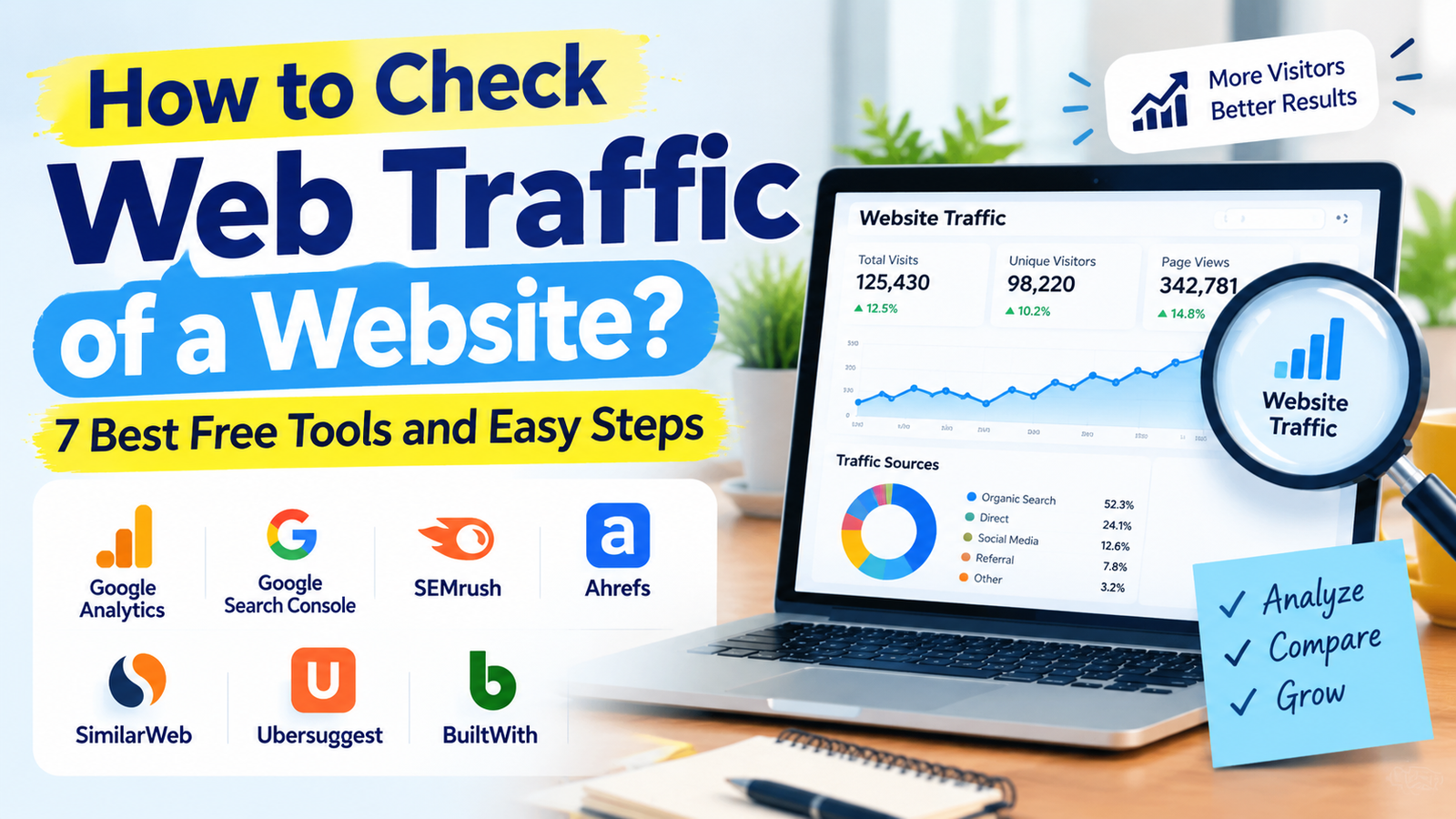
A website traffic checker helps you understand how many people visit a website, where they come from, which pages they read, and which keywords bring them to your site. If you own a website, these insights show what is working; if you are studying a competitor, they reveal opportunities to create better content and win more search traffic.
If you want to track website traffic properly, your website must have the right analytics setup, fast loading speed, and mobile-friendly design. A professional website development service can help you build an SEO-ready website from the start.
In this guide, you will learn how to use a free website traffic checker, check your own website traffic through Google Analytics and Google Search Console, analyze competitor traffic with tools like Ahrefs, Semrush, and Similarweb, and increase website traffic using practical SEO methods.
Website Traffic Checker: What It Means and Why It Matters
A website traffic checker is a tool that shows the number of visitors, page views, sessions, traffic sources, and sometimes keywords for a website. For your own site, tools such as Google Analytics 4 provide direct measured data. For other websites, tools provide estimates based on clickstream data, search rankings, and public browsing patterns.
Website traffic matters because it is often the first signal of online visibility. More traffic does not always mean more sales, but the right traffic—people searching for your topic, product, or service—can lead to more leads, subscribers, and revenue.
A good web traffic checker helps you answer questions like:
- How many people visit my website every month?
- Which pages get the most traffic?
- Which keywords bring visitors from Google?
- Is my traffic increasing or decreasing?
- Which channels perform best: organic search, social media, direct visits, referral, or paid ads?
- How much traffic do competitor websites receive?
For your own website, Google Analytics 4 and Google Search Console are free and provide the most accurate data because they measure actual visits and Google search performance.
Check Web Traffic of a Website: The Fastest Free Method
To check web traffic of a website, first decide whether it is your website or someone else’s website.
| Website Type | Best Tool | What You Can See |
|---|---|---|
| Your own website | Google Analytics 4 | Visitors, sessions, pageviews, traffic sources, user behavior |
| Your own website | Google Search Console | Google clicks, impressions, keywords, ranking pages |
| Competitor website | Similarweb | Estimated total visits, traffic sources, country data |
| Competitor website | Ahrefs Traffic Checker | Estimated organic and paid search traffic, top pages, keywords |
| Competitor website | Semrush Traffic Checker | Estimated traffic, channel mix, keyword and page insights |
Google Analytics 4 is best for your own traffic, while Similarweb, Ahrefs, and Semrush are useful for competitor estimates. Similarweb’s free version provides directional visits, traffic sources, and country breakdowns; Semrush offers limited free traffic reports; Ahrefs provides a free traffic checker for search-focused estimates.
Free Website Traffic Checker: Best Options for Beginners
A free website traffic checker is enough for most bloggers, small business owners, and new website owners. You do not need expensive software at the beginning.
Google Analytics 4
Google Analytics 4, also called GA4, is the most important free tool for tracking your own website. It shows real-time users, daily and monthly visitors, pageviews, engagement time, traffic sources, devices, locations, and conversions.
Use GA4 when you want to know:
- How many visitors came to your website today?
- Which blog posts are most popular?
- Are visitors coming from Google, Facebook, Instagram, YouTube, or direct search?
- How long do people stay on your pages?
- Which device do they use: mobile, desktop, or tablet?
Google Search Console
Google Search Console is another free Google tool, but it focuses specifically on Google Search performance. It shows clicks, impressions, average position, and the keywords that bring users to your site.wpbeginner+1
Use Search Console when you want to know:
- Which keywords bring traffic to my website?
- Which pages rank in Google?
- How many people see my website in search results?
- Are there indexing or mobile usability issues?
- Which pages need SEO improvement?
Ahrefs Free Traffic Checker
The Ahrefs traffic checker is useful when you want a quick estimate of another website’s search traffic. It can show estimated organic and paid traffic, top organic keywords, and top pages without requiring a paid plan.exposureninja+1
It is especially useful for competitor research because you can see which pages bring the most search traffic to a rival blog or business website.
Semrush Traffic Checker
The Semrush traffic checker provides estimated traffic, traffic channels, and keyword-related insights. A free Semrush account allows a limited number of reports, including Domain Overview, which estimates organic and paid search traffic.factors+1
Semrush is helpful if you want an all-in-one view of a competitor’s SEO performance, paid traffic, and top keywords.
Similarweb Traffic Checker
The Similarweb traffic checker is one of the most popular tools for estimating total website visits. It provides traffic source data, audience geography, and visit estimates. The free version allows a limited number of daily comparisons.factors+1
Use Similarweb when you want a broader view of a competitor’s total traffic, not only Google search traffic.
Google Analytics Website Traffic: How to Check Your Own Visitors
Google Analytics website traffic data is the most reliable way to understand your own website performance. Unlike third-party tools, GA4 measures actual visits after you install its tracking code on your website.
Step 1: Create a Google Analytics Account
Go to Google Analytics and sign in with your Google account. Create a new GA4 property and add your website name, URL, industry, and time zone.
Step 2: Install the Tracking Code
Google will give you a measurement ID and tracking code. Add it to your website using your theme settings, Google Tag Manager, or an SEO plugin such as Rank Math or Yoast if you use WordPress.
Step 3: Open Reports
After a few hours or days, open the Reports section. The most useful reports are:
- Realtime: Visitors on your site right now.
- Acquisition traffic acquisition: Where visitors come from.
- Engagement pages and screens: Your most visited pages.
- Audience demographics: Location, age, gender, and interests.
- Technology: Device and browser data.
Step 4: Track Important Metrics
Do not focus only on total visitors. Track these metrics:
- Users: Number of unique visitors.
- Sessions: Visits to your website.
- Pageviews: Total pages viewed.
- Engagement rate: Percentage of engaged sessions.
- Average engagement time: How long users stay.
- Conversions: Form fills, purchases, signups, or other goals.
A website may receive high traffic but low conversions. In that case, improve content quality, page speed, calls to action, and user experience.
To get accurate Google Analytics data, install the tracking code correctly on your website. If you need help with website setup, analytics integration, or technical development, visit Webthropic
Google Analytics for Website Traffic: Understanding Traffic Sources
Google Analytics for website traffic becomes more useful when you understand traffic channels. Each channel tells a different story about how people find your website.
Organic Search Traffic
Organic search traffic comes from Google, Bing, and other search engines without paid ads. This is usually the most valuable long-term traffic source because it can continue bringing visitors after you publish content.webfx+1
Direct Traffic
Direct traffic includes people who type your website URL directly, use a bookmark, or open a link where the source is not identified.
Referral Traffic
Referral traffic comes from links on other websites. For example, if another blog links to your article and a reader clicks it, that visit is referral traffic.
Social Traffic
Social traffic comes from platforms such as Facebook, Instagram, X, LinkedIn, YouTube, Pinterest, and WhatsApp. Social media can bring quick traffic, especially when you share useful and engaging content.shopify+1
Paid Traffic
Paid traffic comes from Google Ads, Meta Ads, YouTube Ads, or other advertising platforms. It can produce fast results, but traffic stops when the budget stops.
Email Traffic
Email traffic comes from newsletters, promotional emails, and automated email sequences. Building an email list is a powerful way to bring repeat visitors without depending only on Google.shopify+1
Website Traffic Analysis: Metrics That Actually Matter
Website traffic analysis is not only about checking visitor numbers. You need to understand the quality of that traffic.
Website Visitors
Website visitors show how many unique people access your website. A visitor may open your website several times, but GA4 counts them as one user during a selected period.
Pageviews and Sessions
Pageviews count every page loaded. Sessions count visits. If one person opens three pages in one visit, that is usually one session and three pageviews.
Bounce Rate and Engagement
A high bounce rate does not always mean a bad website. For example, a visitor may find the answer quickly and leave. Still, low engagement across many pages can signal weak content, slow loading, poor mobile experience, or misleading titles.
Top Landing Pages
Your top landing pages show which content attracts the most visitors. Update these pages regularly, add internal links, improve headings, and include clear calls to action.
Top Keywords
Top keywords show what people search before reaching your website. Google Search Console is the best free source for this data.
Conversion Rate
Traffic is useful only when it supports your goal. Track conversions such as newsletter signups, contact form submissions, product purchases, affiliate clicks, or consultation bookings.
Ahrefs Website Traffic Checker: How to Analyze Competitors
The Ahrefs website traffic checker is one of the best tools for competitor SEO research. It estimates organic and paid search traffic and shows which pages and keywords bring traffic to a website.
How to Use Ahrefs Traffic Checker
- Open the Ahrefs Website Traffic Checker.
- Enter the competitor’s domain or a specific page URL.
- Review estimated organic traffic.
- Check the top organic keywords.
- Study the top pages bringing the most traffic.
- Create better, more complete content around those topics.
For example, if a competitor receives strong traffic from “best FSSAI license consultant in Bihar,” you can create a more detailed guide covering eligibility, documents, fees, renewal, common mistakes, and FAQs.
Semrush Website Traffic: Best for Complete SEO Research
Semrush website traffic data is useful when you want more than a simple visitor estimate. Semrush shows estimated traffic, traffic channels, keyword rankings, paid search insights, and competitor comparisons.
When to Use Semrush
Use Semrush when you want to:
- Compare your website with competitors.
- Find keywords competitors rank for.
- Identify pages with the highest traffic potential.
- Track keyword position changes.
- Analyze paid and organic search performance.
Semrush estimates traffic using clickstream data and machine learning, so treat the numbers as directional rather than exact.
Similarweb Traffic Checker: Best for Overall Website Traffic
The Similarweb traffic checker is best when you want an estimate of a website’s total traffic, including multiple channels. It is widely used for competitor benchmarking and market research.
What Similarweb Shows
Similarweb can show:
- Estimated monthly visits.
- Traffic sources.
- Audience geography.
- Engagement metrics.
- Competitor comparisons.
- Website ranking data.
Use Similarweb when you want to understand a competitor’s overall online presence, not just their Google rankings.
Website Traffic Checker Free Google: Google Tools You Should Use
When people search for a website traffic checker free Google tool, they usually mean Google Analytics and Google Search Console. Both are free, but they serve different purposes.
| Tool | Main Purpose | Best Metric |
|---|---|---|
| Google Analytics 4 | Measures all website activity | Users, sessions, pageviews, conversions |
| Google Search Console | Measures Google Search performance | Clicks, impressions, keywords, rankings |
Use both together. GA4 tells you what visitors do after arriving; Search Console tells you how they found you in Google.
Website Visitor Counter: Should You Use One?
A website visitor counter displays the number of visitors on a website. In the early internet era, visible hit counters were common. Today, most professional websites track visitors privately through analytics tools instead of showing public counters.
A public visitor counter can look outdated and may reduce trust if the number is low. It is better to use Google Analytics or a privacy-friendly analytics tool and keep the data private.
Website Hit Counter vs Website Traffic Checker
A website hit counter and a website traffic checker are not the same.
- A hit counter usually counts page loads or visits.
- A traffic checker analyzes visitors, traffic sources, keywords, pages, devices, and behavior.
- Modern analytics tools provide much deeper insights than a basic hit counter.
If you want to grow a blog or business website, use a full analytics setup rather than only a hit counter.
Check Website Visitors Free: Simple Process for Your Site
To check website visitors free, follow this simple process:
- Install Google Analytics 4 on your website.
- Verify your website in Google Search Console.
- Wait for data to collect.
- Open GA4 to see users, sessions, and pageviews.
- Open Search Console to see Google clicks and keywords.
- Review top pages and traffic sources weekly.
- Improve pages that receive impressions but few clicks.
This combination gives you both behavioral data and search performance data without spending money.
Organic Traffic Checker: How to Track Google Traffic
An organic traffic checker shows how much traffic a website receives from search engines. For your own site, Google Search Console and GA4 are the best options. For competitor sites, Ahrefs, Semrush, and Ubersuggest provide useful estimates.
Organic traffic is important because it usually brings people who are actively searching for information, products, or services. It is slower to build than paid traffic but more sustainable over time.
How to Improve Organic Traffic
- Publish content based on real search intent.
- Use clear H1, H2, and H3 headings.
- Add relevant internal links.
- Improve page speed and mobile experience.
- Update old articles with fresh information.
- Earn backlinks through guest posting and digital PR.
- Fix indexing issues in Search Console.
Search-optimized content, technical improvements, backlinks, and regular content updates are among the most effective free ways to increase organic traffic.
Website Traffic Analysis: How to Find Low-Performing Pages
Website traffic analysis also means finding pages that are not performing well.
Look for pages with:
- High impressions but low clicks.
- Good rankings but low engagement.
- High traffic but no conversions.
- Declining traffic over the last three to six months.
- Thin content or outdated information.
For example, if a page ranks on page two of Google and receives many impressions but few clicks, improve its title tag, meta description, introduction, headings, and content depth. Updating pages close to page one is one of the fastest ways to improve search traffic.
Increase Website Traffic: 10 Free and Practical Ways
If you want to increase website traffic, focus on methods that bring real visitors, not just numbers.
1. Publish Search-Focused Content
Create articles that answer real questions people search for. Use keyword research to find topics with demand and low-to-medium competition.
2. Update Old Blog Posts
Refreshing old content can improve rankings and bring back lost traffic. Add new data, better examples, updated screenshots, FAQs, and internal links.
3. Improve On-Page SEO
Use your main keyword naturally in the title, URL, introduction, headings, and meta description. Also use related keywords instead of repeating the same phrase unnaturally.
4. Build Internal Links
Link new articles to older relevant posts. Internal links help users discover more content and help search engines understand your website structure.
5. Earn Quality Backlinks
Backlinks from relevant websites can improve authority and rankings. Guest posting, expert quotes, original research, and useful resources can help you earn links naturally.
6. Use Social Media Strategically
Do not only share links. Create short tips, carousels, reels, threads, and discussion posts that lead people to your website. Regular valuable social content can support traffic growth.
7. Build an Email List
Email marketing brings repeat traffic. Offer a free checklist, PDF, template, or newsletter to encourage signups.
8. Improve Website Speed
A slow website loses visitors. Compress images, use caching, reduce unnecessary scripts, and choose reliable hosting.
Website speed plays a major role in user experience and search rankings. A slow website can lose visitors even if it has good content. For professional website development, speed optimization, and mobile-friendly design, check Webthropic
9. Target Long-Tail Keywords
Long-tail keywords have lower competition and clearer intent. For example, instead of targeting only “website traffic,” target “free website traffic checker for WordPress blog.”
10. Repurpose Content
Turn a blog post into a YouTube video, Instagram carousel, LinkedIn post, or email newsletter. One strong article can bring traffic from multiple platforms.
Increase Website Traffic Free: What to Avoid
Many websites promise to increase website traffic free instantly, but not all traffic is valuable.
Avoid:
- Buying fake traffic.
- Using bots or traffic exchange schemes.
- Clicking your own ads.
- Stuffing keywords unnaturally.
- Copying competitor content.
- Using misleading clickbait titles.
- Ignoring mobile users.
Bought traffic may increase visitor numbers temporarily, but it usually brings poor engagement, no conversions, and can harm your website’s credibility. Focus on organic search, email, social media, communities, and content marketing instead.
Increasing website traffic is easier when your website is technically strong, fast, secure, and easy to navigate. A well-developed website helps users stay longer and encourages them to explore more pages. Visit Webthropic for website development support.
Buy Website Traffic: Is It a Good Idea?
Many people search for buy website traffic or buy web traffic, hoping for quick results. In most cases, it is not a good long-term strategy.
Paid ads can be useful when they target real users with clear intent. However, cheap traffic packages often use bots, pop-ups, or unrelated visitors. These visits may inflate numbers but rarely generate sales, email signups, or meaningful engagement.
If you want paid traffic, use Google Ads or Meta Ads with proper targeting, landing pages, and conversion tracking. If you want sustainable growth, invest in SEO, useful content, and audience building.
Website Traffic Generator: Why Most Generators Do Not Help
A website traffic generator claims to send automatic visitors to a website. Most of these tools send low-quality or artificial traffic. They may increase pageviews, but they do not create genuine readers, customers, or search rankings.
Search engines value engagement, relevance, and user satisfaction. Fake traffic does not improve those signals and can waste your time. Instead, use a free traffic generator only if it means legitimate promotion methods such as social sharing, email marketing, community participation, or content repurposing.
Google Ads for Website Traffic: When Paid Traffic Makes Sense
Using Google Ads for website traffic can make sense when you need immediate visibility for a product, service, landing page, or local business.
Paid traffic is useful when:
- You are testing a new offer.
- You have a clear conversion goal.
- You can track return on ad spend.
- You target high-intent keywords.
- Your landing page is optimized.
However, Google Ads traffic stops when you stop paying. Use it alongside SEO, not as a replacement for it.
Website Traffic Estimator: How Accurate Are the Numbers?
A website traffic estimator gives approximate numbers, especially for websites you do not own. Tools such as Similarweb, Semrush, and Ahrefs use different data models, so their traffic estimates may not match exactly.
For your own website, trust GA4 and Search Console more than third-party estimates. For competitor websites, use estimates to identify trends, not exact facts.
Domain Traffic Checker: How to Check a Full Website
A domain traffic checker analyzes traffic for an entire domain rather than one page. This is useful when comparing competitors or researching a niche.
Enter the domain into Ahrefs, Semrush, or Similarweb, then review:
- Estimated monthly traffic.
- Top traffic-driving pages.
- Main keywords.
- Traffic sources.
- Geographic audience.
- Competitor overlap.
This helps you understand where a competitor is strong and where you can create better content.
Site Traffic Analysis: Weekly Routine for Website Owners
A simple site traffic analysis routine can keep your website growing.
Weekly Checklist
- Check total users and sessions.
- Review top pages.
- Check Google Search Console clicks and impressions.
- Identify pages with rising or falling traffic.
- Find new keyword opportunities.
- Update one old article.
- Add internal links to new posts.
- Track conversions.
Doing this consistently is more valuable than checking traffic daily without taking action.
Website SEO Ranking: How Traffic and Rankings Connect
Website SEO ranking and website traffic are closely connected. Higher rankings usually bring more clicks, but rankings alone are not enough. Your title, meta description, content quality, and search intent also affect whether people click your result.
Improve rankings by:
- Matching content to search intent.
- Using descriptive titles and headings.
- Adding FAQs and structured information.
- Improving page experience.
- Building relevant backlinks.
- Keeping content updated.
SEO-focused content, technical SEO, backlinks, and content updates remain core methods for improving rankings and traffic.
See Website Traffic Free: Best Free Setup for Bloggers
If you want to see website traffic free, use this simple setup:
- Google Analytics 4 for complete visitor behavior.
- Google Search Console for Google search performance.
- Ahrefs free traffic checker for competitor search traffic.
- Similarweb free checker for competitor total traffic estimates.
- Semrush free reports for keyword and domain research.
This setup gives you enough data to track your own performance and study competitors without buying expensive tools immediately.
Web Traffic Analysis: Turn Data Into Action
Web traffic analysis is useful only when you take action based on the data.
Use this simple framework:
| Data You See | Action You Should Take |
|---|---|
| High impressions, low clicks | Improve title and meta description |
| High traffic, low engagement | Improve content quality and page speed |
| High traffic, no conversions | Add better calls to action and internal links |
| Declining organic traffic | Update content and check technical SEO |
| Strong competitor page | Create a more complete and updated version |
| New keyword opportunity | Publish a dedicated article |
Final Thoughts
A website traffic checker is one of the most important tools for any blogger, business owner, or digital marketer. Use Google Analytics 4 and Google Search Console for accurate data on your own website, and use Ahrefs, Semrush, or Similarweb to estimate competitor traffic.
Do not chase fake traffic or random visitor numbers. Focus on useful content, strong SEO, better user experience, internal linking, backlinks, email marketing, and social distribution. These methods take time, but they build real, sustainable website traffic.
If you are planning to build a new website or improve your existing website for better SEO and traffic, professional website development can make a big difference. Visit Webthropic to learn more.
FAQs
What is the best free website traffic checker?
For your own website, Google Analytics 4 and Google Search Console are the best free tools. For competitor websites, Ahrefs, Semrush, and Similarweb offer limited free traffic estimates.
Can I check traffic of any website?
Yes, but third-party tools provide estimates, not exact data. Google Analytics data is available only to the website owner.
Is Similarweb accurate?
Similarweb provides useful directional estimates, especially for websites with moderate to high traffic, but it should not be treated as exact analytics data.
How can I check website traffic without Google Analytics?
You can use Google Search Console for search performance or third-party tools such as Ahrefs, Semrush, Similarweb, and Ubersuggest for estimates.
How do I increase website traffic for free?
Publish helpful SEO content, update old posts, build internal links, earn backlinks, share content on social media, build an email list, and improve website speed.