How to Create a Website That Generates Quality Leads
Practical Strategies to Turn Website Visitors into Potential Customers
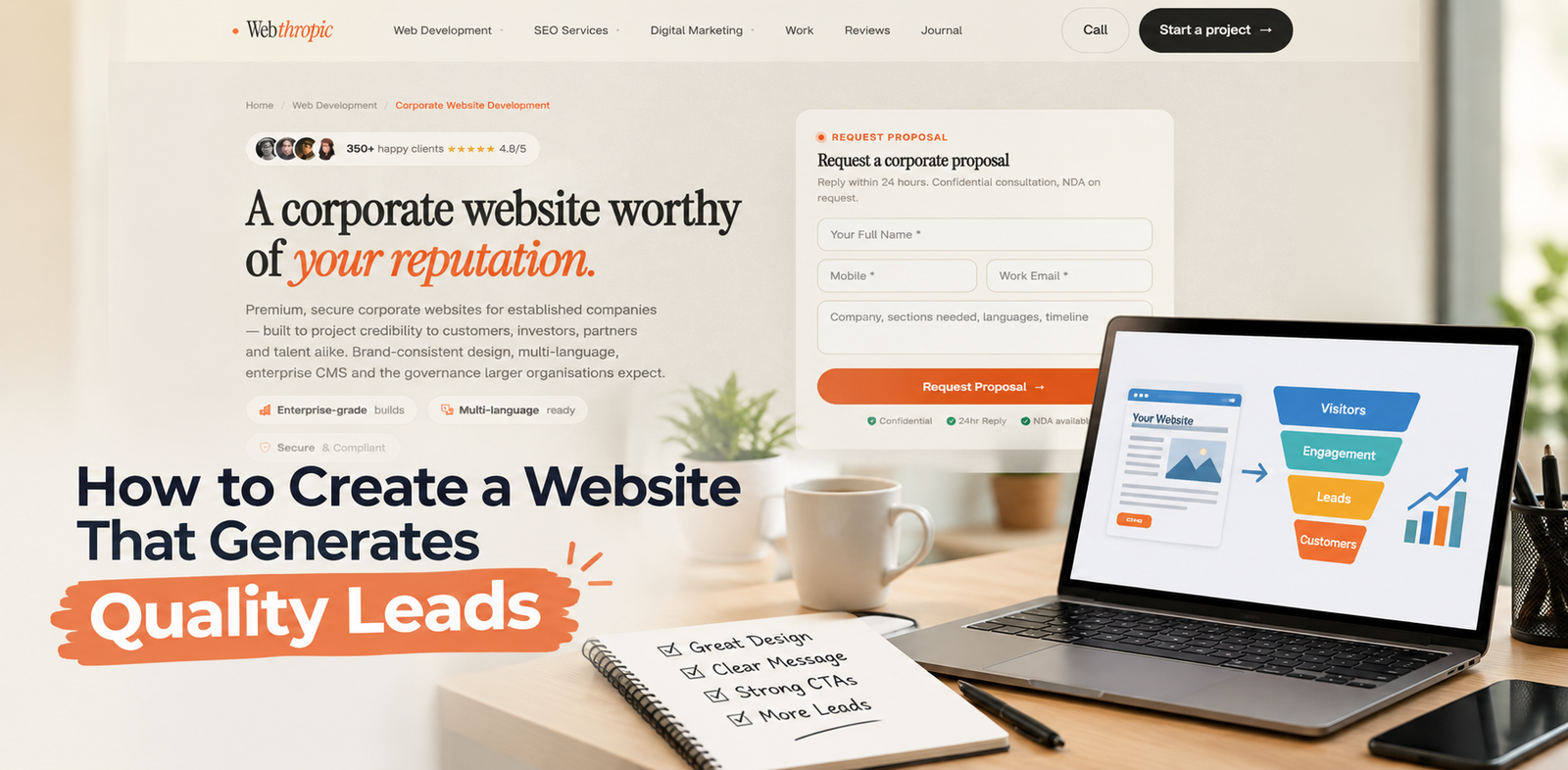
A website is more than an online presence for a business. It is a powerful tool for attracting potential customers, building trust, and generating qualified leads. However, simply launching a website does not guarantee that visitors will become customers.
To achieve meaningful results, businesses need a website that combines attractive design, useful content, smooth navigation, and effective conversion strategies.
A lead-generating website helps visitors understand your products or services, find answers to their questions, and take the next step toward working with your business.
Whether you operate a small business, a startup, or an established company, creating a website focused on lead generation can support long-term business growth.
In this guide, we will explore the essential steps to create a website that attracts the right audience and turns website visitors into valuable business opportunities.
1. Define Your Target Audience and Business Goals
Before designing your website, identify the people you want to reach and the actions you want them to take. Understanding your target audience helps you create relevant content and provide a better user experience.
Start by answering a few important questions:
- Who are your ideal customers?
- What problems are they trying to solve?
- Which products or services can help them?
- What information do they need before making a decision?
- What action should they take on your website?
For example, a business offering professional services may want visitors to schedule consultations, while an e-commerce company may focus on product purchases or enquiries.
Set clear goals such as increasing contact form submissions, generating consultation bookings, collecting qualified enquiries, or encouraging phone calls. These goals will guide your website structure and help you measure performance.
Tip: Create website content around your customers' needs instead of focusing only on what your business wants to communicate.
2. Create a Professional and User-Friendly Design
First impressions matter when visitors land on your website. A cluttered layout, inconsistent colours, difficult navigation, or outdated design can make potential customers leave before exploring your services.
A professional website should communicate credibility and make information easy to find. Use a consistent visual style, readable fonts, clear headings, appropriate spacing, and high-quality images.
Your homepage should quickly explain what your business offers, who it serves, and why customers should consider your solution.
Include important sections such as:
- A clear headline: Explain your primary value proposition.
- An engaging introduction: Describe how your business helps customers.
- Key services or products: Highlight your main offerings.
- Trust-building elements: Present testimonials, reviews, certifications, or relevant experience.
- Clear calls to action: Guide visitors toward the next step.
A well-organised layout makes it easier for users to understand your business and take action without unnecessary confusion.
3. Make Your Website Mobile-Friendly
Many potential customers browse websites using smartphones and tablets. If your website is difficult to use on smaller screens, you may lose valuable leads.
A mobile-friendly website automatically adjusts its layout to different screen sizes. Text should remain readable, buttons should be easy to tap, and forms should work smoothly on mobile devices.
To improve the mobile experience:
- Use a responsive website layout.
- Keep paragraphs short and easy to scan.
- Make contact details easy to access.
- Avoid intrusive pop-ups that block content.
- Use appropriately sized buttons and form fields.
- Test important pages across different devices.
Pay particular attention to your contact forms, service pages, and landing pages. Visitors should be able to submit an enquiry or call your business without struggling with the interface.
4. Optimise Website Speed and Performance
Website speed directly affects user experience. Visitors may abandon a page if it takes too long to load, especially when they are browsing on mobile networks.
A fast website allows users to access information quickly and move smoothly between pages. Performance improvements can also support search visibility and conversion efforts.
Consider the following optimisation techniques:
- Compress images without significantly reducing quality.
- Use modern image formats where appropriate.
- Reduce unnecessary scripts and plugins.
- Enable browser caching when suitable.
- Choose reliable website hosting.
- Minimise redirects and avoid excessive page elements.
- Monitor performance using tools such as Google PageSpeed Insights.
Focus on improving the experience of real users rather than chasing a perfect score alone. Test important pages regularly and prioritise changes that improve loading speed, responsiveness, and usability.
Remember: A faster website creates fewer obstacles between discovering your business and contacting your team.
5. Use SEO to Attract Relevant Visitors
Search engine optimisation (SEO) helps potential customers discover your website when they search for information, products, or services related to your business.
However, generating more traffic is not the only objective. The goal is to attract visitors who are genuinely interested in what you offer.
Start by researching the phrases your potential customers use in search engines. Incorporate relevant keywords naturally into your page titles, headings, meta descriptions, URLs, and website content.
For effective website SEO, focus on:
- Keyword research: Identify relevant search terms and user needs.
- On-page SEO: Optimise page titles, headings, internal links, and content.
- Helpful content: Answer common customer questions clearly.
- Technical SEO: Improve crawlability, indexing, and website performance.
- Local SEO: Optimise your business information if you serve a specific geographical area.
- Image optimisation: Use descriptive file names and meaningful alternative text.
Avoid keyword stuffing and repetitive content. Search-focused pages should provide genuine value and help visitors make informed decisions.
When SEO attracts the right audience, your website has a better opportunity to generate relevant enquiries instead of irrelevant traffic.
6. Create Dedicated Landing Pages for Your Services
A landing page is designed around a particular offer, service, campaign, or audience. Instead of directing every visitor to the homepage, businesses can guide people to pages that match their interests.
For example, a digital services company could create separate pages for search engine optimisation, online advertising, and website maintenance.
An effective landing page should include:
- A headline that matches the visitor's needs.
- A clear explanation of the service or offer.
- The main benefits and differentiating factors.
- Relevant testimonials or case studies.
- Answers to frequently asked questions.
- A prominent call-to-action button.
- A short and easy-to-complete enquiry form.
Keep each page focused on one primary objective. Removing unnecessary distractions can help visitors understand the offer and decide whether they want to enquire.
7. Add Clear and Compelling Calls to Action
A call to action (CTA) tells visitors what to do next. Without clear guidance, users may browse your website and leave without contacting your business.
Effective CTAs use direct, action-oriented language. Examples include:
- Request a Free Consultation
- Get a Project Estimate
- Book a Discovery Call
- Request More Information
- Contact Our Team
- Get Started Today
Place CTAs where they make sense, such as near the top of important pages, after explaining service benefits, and at the end of relevant articles.
Use contrasting button colours and clear wording to make actions easy to recognise. Avoid overwhelming visitors with too many competing buttons.
Your CTA should also match the visitor's stage in the buying journey. Someone researching a problem may prefer a useful guide, while a visitor comparing providers may be ready to request a quote.
8. Build Trust With Useful Content and Social Proof
Visitors are more likely to enquire when they believe your business is reliable and capable of delivering value. Your website should address common concerns and provide credible evidence of your expertise.
Useful trust-building elements include customer testimonials, genuine reviews, case studies, project examples, frequently asked questions, and transparent service information.
Create blog content that answers your audience's questions. Topics such as industry challenges, practical guides, common mistakes, and solution comparisons can help attract relevant visitors.
For example, a business that provides digital services could publish articles about improving website usability, strengthening online visibility, or creating better customer experiences.
Make sure testimonials and performance claims are accurate and authorised. Explain your process, provide clear contact information, and communicate pricing or project expectations where appropriate.
Quality content builds confidence by helping potential customers understand your expertise before they contact you.
9. Keep Contact Forms Simple and Accessible
Contact forms are an important part of lead generation, but complicated forms can discourage visitors from completing them.
Ask only for the information you need to respond effectively. Depending on your business, this might include the visitor's name, email address, phone number, and a brief description of their requirements.
To improve form completion:
- Use clear field labels.
- Keep the number of required fields low.
- Display helpful validation messages.
- Make forms easy to use on mobile devices.
- Explain what happens after submission.
- Provide a clear confirmation message.
- Protect submitted information with appropriate security measures.
For businesses that need more detailed project information, consider using a short initial form followed by a more detailed discovery process.
You can also offer alternative contact options, such as a business phone number or an appropriately managed messaging channel, for visitors who prefer not to use forms.
10. Use Analytics to Measure Lead Generation
You cannot reliably improve lead generation without understanding how visitors interact with your website. Analytics tools help identify which pages attract visitors, where users leave, and which actions result in enquiries.
Tools such as Google Analytics 4 and Google Search Console can provide useful insights into traffic sources, search performance, and website engagement.
Track meaningful metrics, including:
- Conversion rate: The percentage of visitors who complete a desired action.
- Qualified leads: Enquiries that match your target customer profile.
- Traffic sources: Where visitors come from.
- Landing page performance: Which pages generate the most useful enquiries.
- Form completion rate: How effectively forms turn interested visitors into leads.
- Cost per lead: How much you spend to acquire a lead through measurable marketing activities.
Review these metrics regularly. If a page attracts substantial traffic but generates few enquiries, consider improving its headline, content relevance, CTA placement, or form experience.
Test one meaningful change at a time whenever possible, and use actual performance data to guide decisions.
11. Maintain Security and Keep Your Website Updated
Website security and maintenance are essential for protecting your business and maintaining visitor confidence. An outdated website may experience technical problems, broken forms, performance issues, or security vulnerabilities.
Use HTTPS, keep your content management system and extensions updated, create regular backups, and apply suitable access controls. Protect forms against spam and handle customer information responsibly.
Regularly check that links work, contact details are accurate, and important pages display correctly. Review your service descriptions and calls to action as your business evolves.
A well-maintained website supports a reliable user experience and helps ensure that valuable enquiries are not lost because of preventable technical issues.
Conclusion
Creating a website that generates quality leads requires more than an attractive design. It involves understanding your audience, improving user experience, publishing helpful content, implementing SEO, building trust, and making it easy for visitors to contact your business.
Start by setting clear conversion goals and reviewing your existing website. Improve the most important pages first, simplify enquiry forms, strengthen your calls to action, and measure the results consistently.
If you want to build a website that supports your business goals, Webthropic can help you develop a professional online presence with user-focused design, clear service information, responsive layouts, and conversion-oriented features.
Visit Webthropic to explore digital solutions that can help your business strengthen its online presence and create more opportunities for growth.
A website designed around customer needs can become a valuable long-term asset, helping your business attract relevant visitors, build stronger relationships, and turn interest into meaningful enquiries.