How Google Lighthouse Helps Improve SEO, Website Speed, Performance & Accessibility (Complete 2026 Guide)
Learn how Google Lighthouse helps improve SEO, website performance, page speed, accessibility, and Core Web Vitals with practical audits, metrics, and optimization tips.
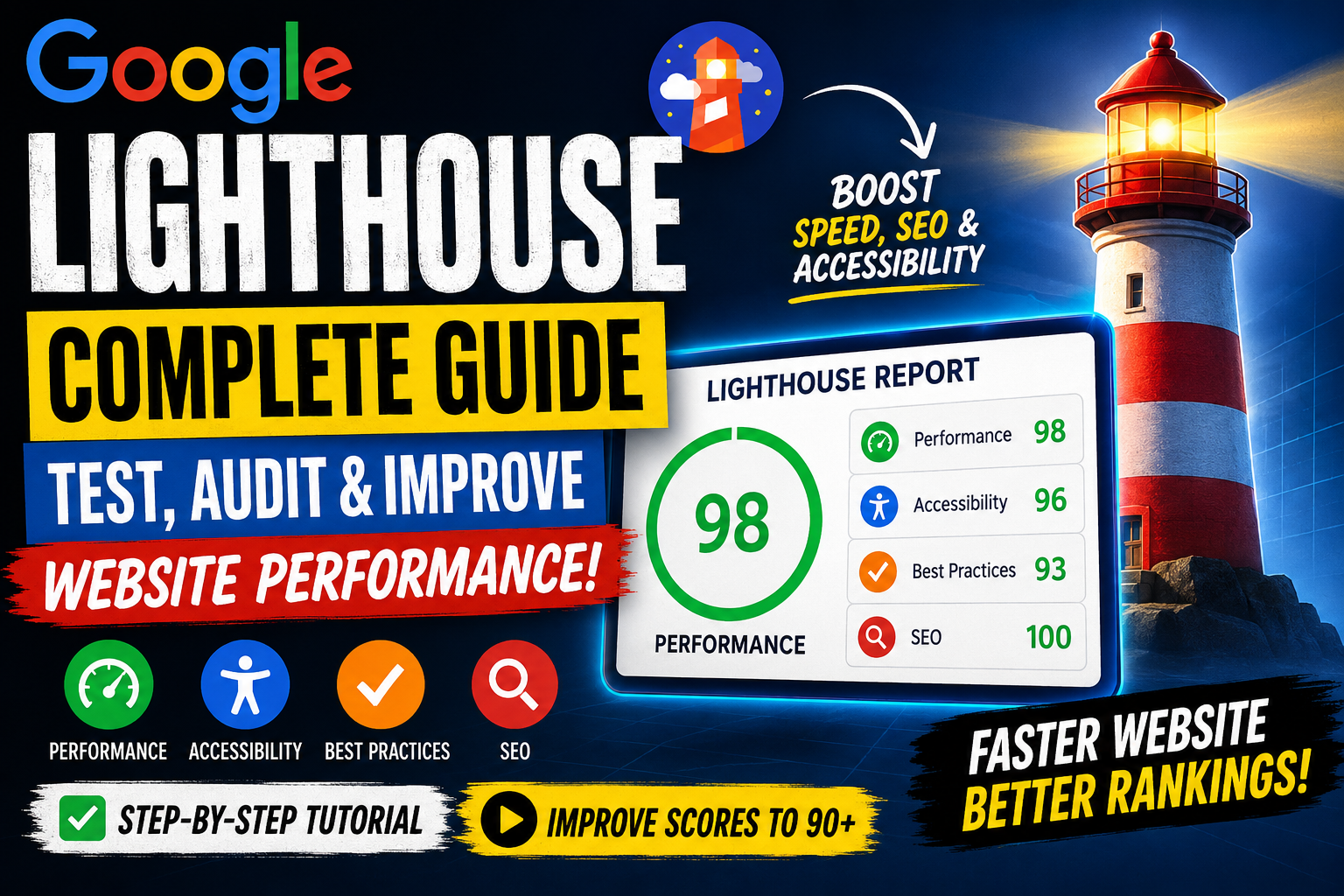
Google Lighthouse has become one of the most important tools for website owners, bloggers, developers, and digital marketers who want better SEO rankings, faster loading speeds, and improved user experience. Whether you run a business website, an eCommerce store, or a blog, a Google Lighthouse audit helps identify performance issues that may be affecting your traffic and conversions.
Today, Google evaluates websites based on Core Web Vitals, mobile usability, accessibility, and technical SEO. This is where Lighthouse SEO, Lighthouse performance testing, and Lighthouse accessibility testing become essential. A good Google Lighthouse score often indicates that your website is optimized for both users and search engines.
If your website is struggling with speed, SEO, or user experience, investing in professional web development services can help resolve these issues before they impact your rankings.
In this complete guide, you will learn what Google Lighthouse is, how it works, and how it can help improve website speed, SEO, accessibility, and overall web performance.
Google Lighthouse: What Is It?
Google Lighthouse is a free, open-source auditing tool developed by Google that analyzes the quality of web pages. It generates a detailed Google Lighthouse report showing how well a website performs in several key areas.

Think of Lighthouse as a digital health check-up for your website. Just like a doctor checks blood pressure, heart rate, and overall health, Lighthouse checks page speed, SEO, accessibility, best practices, and performance metrics.
The five main categories audited by Lighthouse:
- Performance
2. Accessibility
3. Best Practices
4. SEO
5. Progressive Web App (PWA)
Lighthouse SEO: Why It Matters for Rankings
Lighthouse SEO helps identify technical SEO problems that may prevent search engines from properly understanding your website. The SEO audit checks important elements such as:
- Meta title and meta description
- Mobile friendliness
- Structured data basics
- Canonical tags
- Indexability
- HTTPS usage
- Image optimization
- Page loading performance
When you run a Lighthouse SEO checker, you receive actionable recommendations that can help improve your website’s visibility in Google Search.
If your website has recurring technical issues, our Technical SEO Services can help optimize site structure, improve crawlability, and enhance search engine visibility.
SEO Tip
Many websites lose rankings because of slow loading pages. Lighthouse page speed analysis helps identify the exact issues causing delays.
Lighthouse Performance Testing: Measure Real Website Speed
Lighthouse performance testing evaluates how quickly a page loads and becomes interactive for users. It measures several critical metrics that directly affect user experience and SEO.

Key Lighthouse Metrics
| Metric | What It Measures |
|---|---|
| FCP | First Contentful Paint |
| LCP | Largest Contentful Paint |
| CLS | Cumulative Layout Shift |
| Speed Index | Visual loading speed |
| TBT | Total Blocking Time |
| TTI | Time to Interactive |
These Lighthouse metrics are also closely related to Google Core Web Vitals, which are official ranking signals.
Lighthouse Audit: What Does It Check?
Lighthouse audit performs a comprehensive analysis of your website and provides a score from 0 to 100 for each category.

A typical Lighthouse website audit checks:
Server response time
Image compression
Unused CSS and JavaScript
Mobile responsiveness
Security best practices
SEO fundamentals
Accessibility compliance
Lighthouse Tool: Benefits for Website Owners
Lighthouse tool is valuable for bloggers, businesses, agencies, and developers because it provides clear recommendations instead of just raw data.
Major benefits include:
- Faster website loading speed
- Better Google rankings
- Improved mobile experience
- Higher conversion rates
- Reduced bounce rate
- Better accessibility for all users
- Stronger technical SEO
Lighthouse Website Performance: Why Speed Is Critical
Lighthouse website performance directly impacts user behavior. Research consistently shows that visitors abandon slow websites quickly.
When a website takes too long to load:
Bounce rate increases
Conversions decrease
SEO rankings may decline
Users lose trust
This is why Lighthouse site speed optimization has become a top priority for modern websites.
Google Lighthouse Score: What Is a Good Score?
Google Lighthouse score ranges from 0 to 100.
| Score Range | Rating |
|---|---|
| 90–100 | Excellent |
| 50–89 | Needs Improvement |
| 0–49 | Poor |
For most business websites, aiming for 90+ in Performance, SEO, and Accessibility is a strong target.
Google Lighthouse Accessibility: Why It Is Important
Google Lighthouse accessibility testing helps ensure that people with disabilities can use your website effectively.

The accessibility audit checks:
- Alt text for images
- Color contrast
- Keyboard navigation
- ARIA labels
- Form accessibility
- Heading structure
A high Google Lighthouse accessibility score improves usability for everyone, not just users with disabilities.
Google Lighthouse Tool: How to Use It for Website Testing
Google Lighthouse tool is simple enough for beginners yet powerful enough for experienced developers. Whether you're optimizing a blog, business website, or eCommerce store, running a Google Lighthouse test helps uncover performance bottlenecks, SEO issues, accessibility problems, and coding best practices.
The best part is that Google Lighthouse is completely free and is already built into Google Chrome, so you don't need to purchase expensive auditing software.
Google Lighthouse Chrome: How to Run a Lighthouse Audit
Google Lighthouse Chrome allows you to analyze any webpage directly from your browser. There are multiple ways to run a Lighthouse audit, but the easiest method is through Chrome Developer Tools.
Method 1: Chrome DevTools Lighthouse
Using Chrome DevTools Lighthouse is the fastest way to generate an audit report.
Step 1: Open Your Website
Launch Google Chrome and visit the webpage you want to test.
Step 2: Open Developer Tools
You can open Developer Tools by pressing:
- Windows: Ctrl + Shift + I
- Mac: Command + Option + I
You can also right-click anywhere on the page and select Inspect.
Step 3: Open the Lighthouse Tab
Inside Developer Tools, click the Lighthouse tab. If you don't see it immediately, click the >> icon to reveal hidden tabs.
Step 4: Choose Audit Categories
Select the categories you want to test:
- Performance
- Accessibility
- Best Practices
- SEO
You can also choose whether to run the audit for:
- Mobile
- Desktop
Step 5: Generate the Report
Click Analyze Page Load (or Generate Report, depending on your Chrome version).
Within a minute, Google Chrome generates a detailed Google Lighthouse report with scores and optimization suggestions.
Lighthouse Chrome Extension: Install and Use It
Lighthouse Chrome extension is another convenient way to audit websites without opening Developer Tools every time.
Although Lighthouse is now integrated into Chrome, some users still prefer the extension because it provides quick access to audits.
Benefits of the Lighthouse Chrome Extension
- One-click website testing
- Faster workflow
- Easy report generation
- Convenient for SEO professionals
- Helpful for agencies managing multiple websites
If you're searching for terms like Light House Chrome Extension, Lighthouse Extension Chrome, Chrome Extension Lighthouse, or Google Lighthouse Chrome Extension, they all refer to the same auditing functionality available within Chrome.
Lighthouse Website Test: What Happens During the Audit?
Lighthouse website test simulates how users experience your website under realistic conditions. Instead of simply checking whether a page loads, Lighthouse evaluates the complete user experience.
During the audit, Lighthouse measures:
- Page loading speed
- Render-blocking resources
- JavaScript execution
- CSS optimization
- Image compression
- Accessibility compliance
- Mobile responsiveness
- Technical SEO
- Security best practices
After the scan, you'll receive a complete Lighthouse website audit with recommendations prioritized by their impact.
Generate a Lighthouse Report: Step-by-Step Guide
Generate a Lighthouse report to understand your website's strengths and weaknesses.
A typical report contains five major sections:
Performance
Shows how quickly your website loads and becomes interactive.
Performance recommendations may include:
- Compress images
- Minify CSS
- Reduce JavaScript
- Enable browser caching
- Improve server response time
Accessibility
Measures how accessible your website is for users with disabilities.
Common recommendations include:
- Add alternative text to images
- Improve heading hierarchy
- Increase color contrast
- Add descriptive labels to forms
- Improve keyboard navigation
Best Practices
This section checks whether your website follows modern web development standards.
Examples include:
- HTTPS implementation
- Secure JavaScript libraries
- Browser compatibility
- Proper image formats
- Safe coding practices
SEO
The Google Lighthouse SEO section identifies technical SEO issues that could affect search rankings.
Typical recommendations include:
- Optimize title tags
- Improve meta descriptions
- Add canonical URLs
- Improve mobile usability
- Fix crawlability issues
- Add descriptive link text
Google Lighthouse Report: Understanding the Results
Google Lighthouse report provides both scores and detailed diagnostics.
The top of the report displays overall scores for:
| Category | Score |
| Performance | 0–100 |
| Accessibility | 0–100 |
| Best Practices | 0–100 |
| SEO | 0–100 |
Below these scores, Lighthouse explains exactly why points were lost and how to fix each issue.
This makes the report valuable for developers, SEO specialists, and business owners alike.
Lighthouse Metrics: Understanding Every Score
Lighthouse metrics help you understand how users actually experience your website.
Largest Contentful Paint (LCP)
Measures how quickly the largest visible content loads.
Ideal:
Under 2.5 seconds
First Contentful Paint (FCP)
Measures when users first see visible content.
Ideal:
Under 1.8 seconds
Total Blocking Time (TBT)
Shows how long JavaScript blocks user interaction.
Ideal:
Under 200 milliseconds
Speed Index
Measures how quickly visual content appears.
Lower values indicate better performance.
Cumulative Layout Shift (CLS)
Measures unexpected layout movement while loading.
Ideal:
Below 0.1
These Google Lighthouse metrics are among the most important indicators of website quality and user experience.
Lighthouse Performance Tool: Common Issues Found
Lighthouse performance tool frequently identifies issues that slow down websites.
Common problems include:
- Oversized images
- Unused CSS
- Unused JavaScript
- Slow hosting
- Too many plugins
- Large fonts
- Excessive animations
- Poor caching configuration
- Third-party scripts
- Render-blocking resources
Fixing these issues often results in significant improvements to your Google Lighthouse score.
Check Lighthouse Score: What Score Should You Aim For?
Check Lighthouse score regularly because website performance changes over time due to updates, plugins, themes, and new content.
A practical target is:
| Category | Recommended Score |
| Performance | 90+ |
| Accessibility | 95+ |
| Best Practices | 95+ |
| SEO | 100 |
While a perfect score isn't always necessary, maintaining high scores across these categories contributes to better user experience and search visibility.
Google Lighthouse Performance Testing: Best Practices
Google Lighthouse performance testing should be performed:
- Before launching a new website
- After redesigning pages
- Following plugin installations
- After major code updates
- Before SEO campaigns
- Monthly for ongoing optimization
Regular testing ensures that performance issues are identified before they impact rankings or conversions.
Lighthouse SEO: How It Helps Improve Search Rankings
Lighthouse SEO is one of the most valuable features of Google Lighthouse because it analyzes the technical aspects of your website that influence search engine visibility. While Lighthouse does not replace a complete SEO audit, it helps identify fundamental issues that can prevent your pages from performing well in search results.
A Lighthouse SEO checker examines whether your website follows Google's recommended technical SEO practices. It highlights issues that are easy to fix but can significantly improve your site's crawlability, usability, and overall optimization.
What Does the Lighthouse SEO Audit Check?
A standard Lighthouse SEO audit evaluates:
- Page title optimization
- Meta description availability
- Mobile-friendly design
- Crawlable links
- Valid robots directives
- Canonical tags
- Structured HTML elements
- Font readability
- HTTPS implementation
- Descriptive anchor text
- Image alt attributes
- Viewport configuration
Although Lighthouse mainly focuses on technical SEO, resolving these issues creates a stronger foundation for higher search rankings.
Google Lighthouse SEO: Best Practices to Follow
Google Lighthouse SEO provides recommendations based on Google's own web development standards. Following these suggestions helps create a website that is easier for both users and search engines to understand.
Recommended SEO Best Practices
Create Unique Meta Titles
Every page should have a unique, keyword-rich title that accurately describes its content.
Write Compelling Meta Descriptions
Meta descriptions improve click-through rates and help users understand what your page offers.
Optimize Heading Structure
Use only one H1 tag per page and organize content logically with H2 and H3 headings.
Improve Internal Linking
Link relevant pages together so users and search engines can easily navigate your website.
Optimize Images
Compress images without sacrificing quality and always include descriptive alt text.
Use HTTPS
Secure websites are trusted more by both users and search engines.
Lighthouse Accessibility Testing: Build a Website Everyone Can Use
Lighthouse accessibility testing evaluates whether your website is usable for people with disabilities. Accessibility is no longer optional—it improves user experience, expands your audience, and aligns with modern web standards.
A high accessibility score also benefits SEO because many accessibility improvements enhance website structure and usability.
What Does Lighthouse Accessibility Testing Check?
The accessibility audit analyzes:
- Alternative text for images
- Color contrast
- Form labels
- Keyboard navigation
- ARIA attributes
- Heading hierarchy
- Focus indicators
- Accessible buttons and links
- Semantic HTML
- Screen reader compatibility
Improving these elements makes your website more inclusive and easier to navigate for all users.
Google Lighthouse Accessibility Score: How to Improve It
Google Lighthouse accessibility score ranges from 0 to 100. Achieving a score above 90 demonstrates that your website follows modern accessibility standards.
Tips to Improve Accessibility Scores
- Add descriptive alt text to every image.
- Maintain sufficient color contrast between text and background.
- Use semantic HTML elements such as <header>, <main>, and <footer>.
- Ensure all forms include proper labels.
- Make every interactive element accessible via keyboard.
- Avoid using text inside images whenever possible.
- Use descriptive link text instead of "Click Here."
These improvements create a better browsing experience for everyone.
Lighthouse Website Performance: Improve Speed and User Experience
Lighthouse website performance focuses on how efficiently your website loads and responds to user interactions. Website speed affects SEO rankings, user satisfaction, and conversion rates.
Even a one-second delay can reduce engagement and increase bounce rates.
Common Performance Problems
Lighthouse often detects:
- Large image files
- Render-blocking CSS
- Excessive JavaScript
- Slow server response
- Unused CSS
- Unused JavaScript
- Missing browser caching
- Too many third-party scripts
- Large font files
- Poor resource compression
Addressing these issues can significantly improve both Lighthouse scores and real-world performance.
Lighthouse Website Speed: Proven Optimization Techniques
Lighthouse website speed improves when you optimize both front-end and back-end resources.
Practical Optimization Tips
Compress Images
Use modern formats such as WebP or AVIF to reduce image size.
Minify CSS and JavaScript
Remove unnecessary spaces, comments, and unused code.
Enable Browser Caching
Allow browsers to store static resources for faster repeat visits.
Use a CDN
Content Delivery Networks reduce latency by serving files from servers closer to users.
Improve Hosting
Choose reliable hosting with fast server response times.
Reduce Plugin Usage
Too many plugins can slow down WordPress websites considerably.
Lazy Load Images
Load images only when users scroll to them.
Optimize Fonts
Limit font families and preload important font files.
These optimizations improve page speed while enhancing user experience.
Lighthouse Performance Audit: Understanding Improvement Opportunities
Lighthouse performance audit not only identifies issues but also prioritizes them according to their impact.
The report groups recommendations into categories such as:
Opportunities
Suggestions that can immediately improve loading speed.
Examples include:
- Eliminate render-blocking resources
- Compress images
- Reduce JavaScript execution time
- Enable text compression
Diagnostics
Additional technical insights about website performance.
Examples include:
- DOM size
- JavaScript execution time
- Cache efficiency
- Network payload size
Passed Audits
Displays optimizations your website has already implemented successfully.
Reviewing all three sections helps prioritize performance improvements effectively.
Lighthouse Tool for Accessibility: Why Businesses Should Care
Lighthouse tool for accessibility benefits businesses beyond compliance.
Accessible websites often experience:
- Better user engagement
- Lower bounce rates
- Higher conversion rates
- Improved customer satisfaction
- Stronger brand reputation
Making accessibility a priority also prepares your website for future regulations and evolving user expectations.
Lighthouse Website Audit: Common Errors and Their Solutions
Lighthouse website audit frequently identifies recurring issues that affect SEO, speed, and usability.
| Common Issue | Recommended Solution |
| Large Images | Compress and convert to WebP |
| Slow Server | Upgrade hosting or enable caching |
| Unused CSS | Remove unnecessary stylesheets |
| Excessive JavaScript | Minify and defer scripts |
| Missing Alt Text | Add descriptive image alt attributes |
| Poor Mobile Layout | Implement responsive design |
| Low Color Contrast | Improve readability with better colors |
| Missing Meta Description | Write unique descriptions for every page |
| Duplicate Titles | Create unique SEO titles |
| Render-Blocking Resources | Load CSS and JavaScript asynchronously |
Regularly fixing these issues helps maintain strong Lighthouse scores and a better user experience.
Lighthouse Score Website: Tips to Reach 90–100
Lighthouse score website improvements require a combination of technical optimization and ongoing maintenance.
Checklist for High Scores
- Compress all images.
- Use next-generation image formats.
- Minify CSS and JavaScript.
- Remove unused plugins.
- Enable browser caching.
- Optimize server response time.
- Improve mobile responsiveness.
- Fix accessibility issues.
- Optimize Core Web Vitals.
- Update third-party libraries regularly.
Following this checklist consistently can help most websites achieve Lighthouse scores above 90.
Google Lighthouse Performance: Why Regular Testing Matters
Google Lighthouse performance should be monitored regularly because websites evolve over time. Adding new features, plugins, or content can unintentionally reduce performance.
Perform Lighthouse audits:
- Before launching a new website
- After installing plugins
- After changing themes
- Before major SEO campaigns
- Following server migrations
- Every month as part of website maintenance
Routine testing ensures your website remains fast, secure, and optimized for search engines.
Google Lighthouse CI: Automate Performance Testing
Google Lighthouse CI (Continuous Integration) is an advanced version of Lighthouse that allows developers to automate website audits during the development process. Instead of manually running Lighthouse after every update, Lighthouse CI automatically checks your website whenever new code is deployed.
This automation helps teams detect performance issues before they reach users, ensuring that website quality remains consistent across updates.
Benefits of Google Lighthouse CI
- Automates website performance testing
- Detects SEO issues early
- Prevents performance regressions
- Monitors Core Web Vitals
- Generates historical Lighthouse reports
- Integrates with GitHub, GitLab, Jenkins, and other CI/CD platforms
For development teams managing large websites, Lighthouse CI is one of the best tools for maintaining long-term website performance.
Automated Lighthouse Testing: Save Time with Continuous Audits
Automated Lighthouse testing enables developers and agencies to monitor website quality without manually generating reports. By integrating Lighthouse into a Continuous Integration (CI) pipeline, every website update can be audited automatically.
Advantages of Automated Lighthouse Testing
- Consistent performance monitoring
- Faster issue detection
- Improved development workflow
- Better collaboration among teams
- Reduced manual testing effort
- Reliable website quality assurance
Automation is especially useful for websites that receive frequent updates or new features.
Google Lighthouse GitHub: Open-Source Development
Google Lighthouse GitHub hosts the official open-source project where developers can access the latest code, report issues, contribute improvements, and explore documentation.
Developers use the GitHub repository to:
- Download the latest releases
- Track feature updates
- Review issue discussions
- Explore sample configurations
- Contribute to the project
The open-source nature of Lighthouse ensures that it continues to evolve with modern web standards.
Google Lighthouse Documentation: Learn Every Feature
Google Lighthouse documentation provides detailed guidance on installing, configuring, and using Lighthouse effectively. Whether you're a beginner or an experienced developer, the documentation explains how each audit works and how to interpret the generated reports.
Topics covered include:
- Running Lighthouse locally
- Using Chrome DevTools
- Lighthouse CI setup
- Performance metrics
- Accessibility testing
- SEO audits
- Best practices
- Configuration options
Reading the official documentation helps you understand advanced auditing features and customization options.
Google Lighthouse Download: Do You Need to Install It?
Google Lighthouse download is generally unnecessary because Lighthouse is already built into Google Chrome. However, there are several ways to use it depending on your workflow.
Available Options
- Chrome DevTools (Built-in)
- Chrome Extension
- Node.js Command Line Interface
- Lighthouse CI
- PageSpeed Insights (Powered by Lighthouse)
For most users, Chrome DevTools provides everything needed to perform comprehensive website audits.
Google Lighthouse Chrome Extension: Is It Still Useful?
Google Lighthouse Chrome Extension remains useful for users who prefer launching audits with a single click. Although Chrome DevTools includes Lighthouse by default, the extension offers a simplified interface that some professionals find more convenient.
Benefits
- Quick website analysis
- Easy report generation
- Beginner-friendly interface
- No need to open Developer Tools
- Useful for SEO consultants and agencies
Lighthouse Website Audit Checklist
Lighthouse website audit should become a regular part of your website maintenance routine. Use the following checklist to ensure your website stays optimized.
Performance Checklist
✔ Compress images
✔ Minify CSS
✔ Minify JavaScript
✔ Enable browser caching
✔ Use lazy loading
✔ Reduce server response time
✔ Optimize fonts
✔ Remove unused CSS
✔ Remove unused JavaScript
✔ Enable GZIP or Brotli compression
SEO Checklist
✔ Unique page titles
✔ Optimized meta descriptions
✔ Mobile-friendly layout
✔ HTTPS enabled
✔ Canonical URLs
✔ Proper heading hierarchy
✔ Internal linking
✔ XML sitemap
✔ Robots.txt configured
✔ Descriptive anchor text
Accessibility Checklist
✔ Image alt text
✔ High color contrast
✔ Proper form labels
✔ Keyboard navigation
✔ ARIA labels
✔ Semantic HTML
✔ Focus indicators
✔ Descriptive links
✔ Logical heading structure
✔ Accessible buttons
How to Improve Your Google Lighthouse Score
Google Lighthouse score improves gradually through consistent optimization rather than one-time fixes. Focus on resolving the high-impact recommendations shown in each audit report.
Tips to Achieve a 90+ Score
- Use high-performance web hosting.
- Optimize every image before uploading.
- Eliminate render-blocking resources.
- Reduce unused CSS and JavaScript.
- Improve Largest Contentful Paint (LCP).
- Minimize Total Blocking Time (TBT).
- Prevent layout shifts (CLS).
- Enable browser caching.
- Use a Content Delivery Network (CDN).
- Regularly update themes, plugins, and libraries.
Remember that maintaining a high Lighthouse score requires continuous monitoring as your website evolves.
Frequently Asked Questions (FAQs)
1. What is Google Lighthouse?
Google Lighthouse is a free auditing tool developed by Google to analyze website performance, SEO, accessibility, best practices, and Progressive Web App (PWA) capabilities.
2. Is Google Lighthouse free?
Yes, Google Lighthouse is completely free to use.
3. What is a good Lighthouse score?
A score of 90–100 is considered excellent.
4. Does Lighthouse affect Google rankings?
Lighthouse itself does not directly affect rankings, but improving the issues it identifies can positively impact SEO and user experience.
5. Is Lighthouse built into Chrome?
Yes, it is available within Chrome DevTools.
6. Can beginners use Lighthouse?
Absolutely. The reports include explanations and recommendations suitable for beginners.
7. How often should I run a Lighthouse audit?
At least once a month or after significant website updates.
8. Does Lighthouse test mobile websites?
Yes, you can choose between mobile and desktop audits.
9. What are Core Web Vitals?
Core Web Vitals measure loading speed, interactivity, and visual stability, all of which influence user experience.
10. Does Lighthouse test accessibility?
Yes, it performs a detailed accessibility audit.
11. What is Lighthouse CI?
It is an automated version of Lighthouse for Continuous Integration (CI) pipelines.
12. Can Lighthouse improve website speed?
Yes, by identifying performance bottlenecks and optimization opportunities.
13. Does Lighthouse check SEO?
Yes, it evaluates essential technical SEO elements.
14. Is Lighthouse suitable for WordPress websites?
Yes, it works with WordPress, Shopify, custom websites, and virtually any web platform.
15. Can I export Lighthouse reports?
Yes, reports can be saved as HTML or JSON files.
16. What browsers support Lighthouse?
Google Chrome provides the best support through DevTools.
17. Is a 100 Lighthouse score necessary?
No. A score above 90 is generally excellent for most websites.
18. Why does my Lighthouse score change?
Scores can vary based on server performance, network conditions, and website updates.
19. Does Lighthouse check security?
It reviews several security-related best practices, including HTTPS usage.
20. Should I fix every Lighthouse warning?
Prioritize high-impact issues first, especially those affecting performance, SEO, and accessibility.
Conclusion
Google Lighthouse is one of the most powerful free tools available for improving website quality. Whether your goal is better SEO, faster loading speeds, stronger accessibility, or an enhanced user experience, Lighthouse provides practical recommendations that help you optimize every aspect of your website.
From Lighthouse SEO and Lighthouse performance testing to Google Lighthouse accessibility, website audits, and automated Lighthouse testing, this tool equips developers, marketers, and business owners with the insights needed to build high-performing websites.
Instead of treating Lighthouse as a one-time audit, make it a regular part of your website maintenance strategy. Run audits after major updates, monitor your scores over time, and implement the recommended improvements. By consistently optimizing your website, you'll not only achieve higher Google Lighthouse scores but also create a faster, more accessible, and search-engine-friendly experience that benefits both users and your business.
Start using Google Lighthouse today and transform your website into a faster, more reliable, and SEO-optimized digital experience.
While Google Lighthouse identifies website issues, fixing them requires technical expertise. If you need help improving your website's SEO, speed, accessibility, or Core Web Vitals, explore our Web Development Services to build a faster, more search-engine-friendly website.