Why Your Business Isn’t Showing Up in ChatGPT, Google AI & Search Results (And How to Fix It)
A Practical Guide to SEO, Website Indexing, Local Search Visibility, and AI Search Optimization
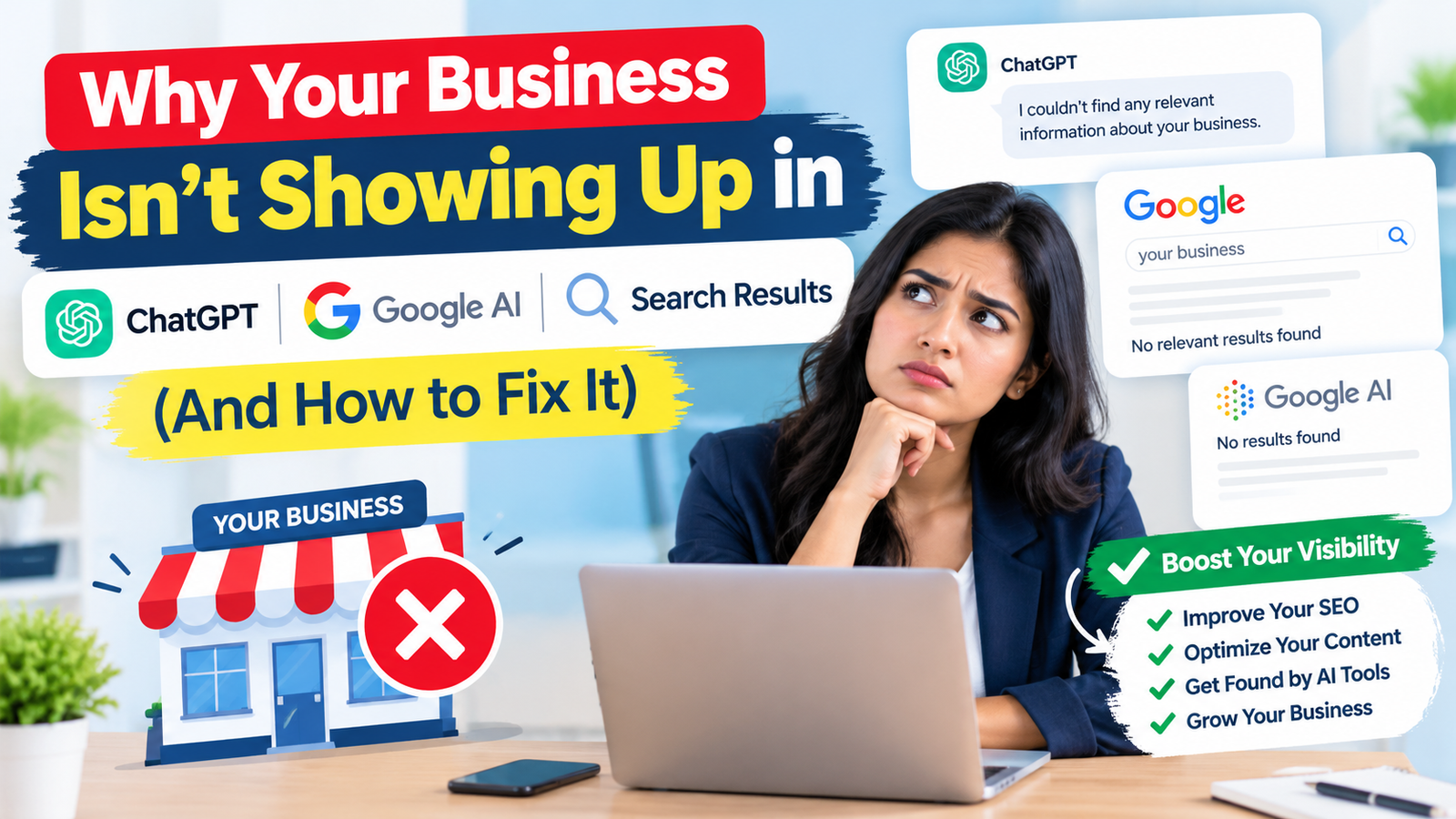
Why is my business not showing up on Google or ChatGPT? This is becoming an important question for business owners who want to increase online visibility, attract potential customers, and generate more leads. Even if your business has a website, offers quality services, and maintains social media profiles, customers may still struggle to find you through Google Search, Google AI Overviews, ChatGPT, and other AI-powered search platforms.
Common reasons include poor search engine optimization (SEO), website indexing problems, incomplete Google Business Profile information, low website authority, weak content quality, and a lack of relevant online mentions. Businesses may also struggle to appear in local search results because their website does not clearly explain their services, target locations, or industry expertise.
Today, online visibility is no longer limited to traditional search engine rankings. Customers increasingly use AI search tools to discover businesses, compare services, ask questions, and find recommendations. Therefore, businesses need a comprehensive digital marketing strategy that includes technical SEO, local SEO, helpful website content, structured data, and AI search optimization.
In this guide, you will learn why your business is not appearing in Google Search, Google AI Overviews, or ChatGPT results and discover practical ways to improve your website visibility, strengthen your online presence, and reach more potential customers.
Why Is My Business Not Showing Up on Google Search?
Google Search visibility depends on several factors, including website indexing, content relevance, technical performance, competition, and website authority. Simply creating a website does not guarantee that Google will display it when customers search for your products or services.
If your business website is missing from search results, Google may not have discovered your pages, may be unable to index them, or may consider other pages more relevant to a particular search query.
Common Reasons Your Business Is Not Ranking on Google
- Website indexing issues: Google has not indexed your website or important service pages.
- Poor SEO optimization: Your pages lack relevant keywords, descriptive titles, useful headings, or meaningful content.
- Low website authority: Your website has few relevant backlinks or limited recognition across trusted websites.
- High keyword competition: Established competitors have stronger content and more authoritative websites.
- Technical SEO errors: Broken links, incorrect redirects, slow loading speeds, or crawling restrictions affect website accessibility.
- Thin website content: Your pages provide insufficient information to answer customers' questions.
- New website domain: Your website has not yet developed enough content, links, or search visibility.
How to Fix Google Search Visibility Problems
Start by searching for your website domain on Google using the site:yourdomain.com search operator. This can provide an indication of which pages Google has indexed, although it is not a complete or definitive indexing report.
Next, open Google Search Console and inspect important URLs using the URL Inspection tool. Check whether Google can crawl and index each page, review the indexing status, and identify any reported technical issues.
Submit your XML sitemap through Search Console, improve page titles and meta descriptions, and make sure important pages are accessible through internal links. Create useful, original content that directly answers the questions your target customers are searching for.
Remember that indexing and ranking are different. A page may be indexed by Google without appearing prominently for competitive keywords.
Why Is My Business Not Showing Up in ChatGPT Search Results?
ChatGPT search visibility is becoming an important consideration for businesses that want to reach customers through AI-powered discovery. People may ask ChatGPT to recommend a web development company, find a digital marketing agency, compare local service providers, or identify businesses that meet specific requirements.
However, having a website does not guarantee that ChatGPT will mention or recommend your business. AI-generated answers depend on the features and information sources available to the system, the user's question, and whether relevant information about your business can be found and understood.
Common Reasons Your Business Is Missing From ChatGPT
- Limited online presence: Your business has little information available beyond its own website.
- Unclear service information: Your website does not explain what you offer, whom you serve, or where you operate.
- Weak website content: Your pages contain generic marketing statements instead of useful answers and specific details.
- Limited third-party references: Relevant industry websites, directories, publications, and other trusted sources rarely mention your business.
- Crawling restrictions: Technical settings or access restrictions may prevent certain search-related crawlers from accessing your content.
- Inconsistent business information: Your company name, address, service descriptions, or contact details differ across websites.
- Insufficient brand recognition: Your business has limited visibility in its industry or target market.
How to Improve Your Business Visibility in ChatGPT
First, create detailed service pages that explain your business clearly. Include your services, target audience, location, experience, pricing information where appropriate, and answers to common customer questions.
Second, publish helpful content that addresses real customer problems. For example, a web development company could publish guides about website development costs, choosing a website development company, website maintenance, and local SEO services.
Third, strengthen your business's online presence through accurate business directories, relevant industry publications, customer reviews, professional profiles, and genuine mentions from other websites.
You should also review your website's crawling permissions. OpenAI documents OAI-SearchBot as a crawler used to help surface websites in ChatGPT search results. If you want your content to be eligible for ChatGPT search discovery, check that your robots.txt rules and hosting configuration do not unintentionally block the relevant crawler.
Allowing a crawler to access your website does not guarantee that your business will appear in every ChatGPT answer. Visibility depends on relevance, available information, and the particular query.
Why Is My Business Not Appearing in Google AI Overviews?
Google AI Overviews optimization is relevant for businesses that want their content to be considered for AI-generated summaries in Google Search. AI Overviews provide synthesized answers to certain searches and may include links to supporting web pages.
Unlike a traditional search result, an AI-generated answer may present information from multiple sources. Consequently, a business may rank for some keywords but not appear in an AI Overview for the same or a related query.
There is no separate guaranteed method to get a website featured in Google AI Overviews. Google generally relies on its existing search systems, and pages must meet applicable technical and content requirements to be eligible.
Why Your Website May Not Appear in Google AI Overviews
- Your content does not directly answer the search query.
- Your pages lack detailed explanations or clear supporting information.
- Your website has technical accessibility or indexing problems.
- Your content repeats information that is already widely available without adding useful insights.
- Your website does not demonstrate sufficient relevance to the topic.
- Your pages contain unsupported claims or unclear information.
- Your content is not relevant to the particular searches for which Google generates AI Overviews.
How to Optimize Content for Google AI Search
Write content that answers a specific question clearly and accurately. Use descriptive headings, short introductory answers, supporting explanations, examples, and relevant statistics when reliable sources are available.
For example, instead of writing only “We provide SEO services,” explain what SEO includes, how an SEO campaign works, what businesses can expect, and which factors influence results.
Use structured data where appropriate to help search engines understand your content. Ensure that the information in your structured data matches the visible page content.
Most importantly, follow Google's existing SEO fundamentals. There is no special AI Overview schema or guaranteed AI ranking technique that replaces high-quality content, technical accessibility, and relevance to the search query.
How to Check Whether Google Has Indexed Your Website
Website indexing and Google Search Console should be among the first things you check when your business is not appearing in search results. Indexing allows Google to store and potentially display a page in its search results.
A website may be live and accessible to visitors but still have pages that Google has not indexed.
Steps to Check Website Indexing
- Open Google Search Console and select your website property.
- Navigate to the URL Inspection tool.
- Enter the complete URL of an important page.
- Review whether the page is indexed and whether any issues are reported.
- If the page is eligible and meets the requirements, request indexing when appropriate.
- Open the Page Indexing report to review patterns affecting multiple URLs.
- Submit or update your XML sitemap if necessary.
Common Website Indexing Errors
Crawled – currently not indexed: Google has crawled the page but has not included it in its index. Review content quality, duplication, usefulness, and internal linking.
Discovered – currently not indexed: Google knows about the URL but has not yet crawled it. Check internal links, server performance, and the overall crawlability of your website.
Excluded by noindex: A page contains a directive telling search engines not to index it. Remove the directive only if the page should appear in search results.
Blocked by robots.txt: A robots.txt rule prevents crawling. Review the rule carefully before changing it, because not every blocked URL needs to be indexed.
Duplicate page: Google may select another URL as the canonical version. Check canonical tags, redirects, and duplicate content.
Fix the underlying issue rather than repeatedly requesting indexing. Google decides when and whether to crawl and index a page.
Why Your Google Business Profile Is Not Showing in Local Search
Google Business Profile optimization is essential for businesses that serve customers in a particular city, neighborhood, or service area. A properly maintained profile can help eligible businesses appear in Google Maps and local search results.
If your business is not showing up when someone searches for a service near them, the issue may involve profile verification, eligibility, business information, relevance, distance, or prominence.
Common Google Business Profile Problems
- Your profile has not been verified.
- Your business information is incomplete or inaccurate.
- Your primary business category does not match your main service.
- Your business is not eligible for a profile under Google's guidelines.
- Your business address or service area is configured incorrectly.
- Your profile has been suspended or is under review.
- Your business has limited local prominence compared with competitors.
How to Improve Google Maps and Local SEO Rankings
Complete all relevant fields in your Google Business Profile. Select the most accurate primary category, add appropriate secondary categories, describe your services, update your operating hours, and upload genuine business photos.
Keep your name, address, phone number, website, and other business details consistent wherever they appear online. Encourage genuine customers to leave honest reviews and respond professionally to feedback.
Create location-specific website pages when you genuinely serve those areas. For example, a company serving Patna can publish a page describing its services in Patna, including relevant local information and customer questions.
Avoid creating numerous nearly identical location pages or adding city names where you do not actually operate. Local SEO works best when your location information is accurate and useful to customers.
How to Find the Right Keywords for Google and AI Search
Keyword research for SEO helps you understand how customers search for the products and services your business provides. If your website uses vague language or targets keywords that do not match search intent, it may attract little relevant traffic.
Businesses should consider both traditional search queries and natural-language questions used in AI search tools.
High-Value Keyword Types to Target
Primary keywords: These describe your main service or product, such as website development company, digital marketing services, or SEO services.
Long-tail keywords: These are more specific searches, such as affordable website development services for small businesses or local SEO services for restaurants.
Question-based keywords: These include queries such as why is my business not showing on Google, how to improve website ranking, and how to get a business listed online.
Local keywords: These include service and location combinations, such as web development company in Patna or SEO agency in Ranchi.
Commercial keywords: These indicate that a person is comparing providers or considering a purchase, such as website development cost, best SEO company, or digital marketing agency pricing.
How to Use Keywords Naturally
Place the primary keyword in the page title, H1 heading, introduction, and relevant subheadings where it fits naturally. Include related terms in the body content, image alt text when descriptive, and internal links where relevant.
Do not repeat the same keyword in every paragraph. Keyword stuffing can reduce readability and may violate Google's spam policies.
Use tools such as Google Search Console and Google Keyword Planner to understand search queries, impressions, clicks, and potential keyword demand. Treat search-volume estimates as estimates rather than guarantees of traffic or conversions.
Why High-Quality Website Content Matters for AI Search Visibility
SEO content writing helps search engines and AI-powered systems understand what your business does and how your pages answer customer questions. Content that is vague, copied, outdated, or written only to repeat keywords may struggle to attract and retain relevant visitors.
Your website should provide more value than a list of services or a few promotional sentences.
What Makes Website Content Helpful?
- Clear explanations: Explain each service in language customers can understand.
- Original insights: Include your own experience, examples, processes, or observations.
- Accurate information: Verify claims, statistics, dates, and technical details.
- Relevant examples: Show how your services solve real business problems.
- Useful FAQs: Answer questions about pricing, timelines, eligibility, processes, and common challenges.
- Regular maintenance: Update information when your services, prices, or industry requirements change.
- Readable formatting: Use descriptive headings, short paragraphs, tables where useful, and meaningful bullet points.
For example, a website development business should not publish only a page titled “Best Website Development Company.” It should explain the development process, website types, pricing factors, maintenance requirements, technology options, and how customers can choose an appropriate solution.
For AI search visibility, make important facts easy to identify and verify. Use specific statements instead of exaggerated claims, and link to authoritative sources when discussing technical standards or official requirements.
AI search visibility is not guaranteed by any particular writing style. The goal is to create content that is useful for people and accessible to search systems.
How Technical SEO Affects Google and AI Search Rankings
Technical SEO optimization helps search engines crawl, render, understand, and index your website. Even excellent content may receive limited visibility if important pages are inaccessible or the website has serious technical problems.
Technical SEO Issues to Check
Mobile-friendly website: Make sure your website works properly on mobile devices, including navigation, buttons, forms, and page layouts.
Website speed and Core Web Vitals: Improve loading performance, responsiveness, and visual stability. Use PageSpeed Insights to identify opportunities for improvement.
HTTPS security: Use a valid HTTPS configuration to protect connections between your website and visitors.
XML sitemap: Maintain an accurate sitemap containing the canonical URLs you want search engines to discover.
Robots.txt file: Check that important content is not unintentionally blocked from crawling.
Canonical tags: Use appropriate canonical URLs to help search engines understand which versions of similar pages you prefer to be indexed.
Internal linking: Link important service pages from relevant pages so visitors and search engines can discover them.
Structured data: Add valid schema markup where suitable, such as Organization, LocalBusiness, Article, or BreadcrumbList. Use only types and properties that accurately describe the page.
Broken links and redirects: Repair broken internal links and use appropriate redirects when URLs change.
Technical SEO does not automatically improve every ranking. Its primary purpose is to remove barriers and help search engines access and interpret your content correctly.
How Backlinks and Online Brand Mentions Improve Business Visibility
Backlinks for SEO can help search engines discover pages and understand how websites are connected. Links from relevant, reputable websites may also bring referral traffic and support your business's credibility.
Online brand mentions can provide additional information about your company, especially when independent websites describe your services accurately. However, not every mention is used by every search or AI system, and neither backlinks nor mentions guarantee inclusion in AI-generated recommendations.
Practical Ways to Build a Strong Online Presence
- Publish useful guides, original research, and industry resources.
- Contribute relevant articles to reputable websites in your industry.
- Maintain accurate business directory listings.
- Create complete professional profiles on relevant platforms.
- Collaborate with genuine business partners and industry organizations.
- Share useful resources through social media and professional communities.
- Encourage satisfied customers to provide honest reviews.
- Earn editorial links by producing content that other websites genuinely want to reference.
Avoid buying large quantities of low-quality backlinks, participating in link schemes, or publishing repetitive articles solely to manipulate rankings. These practices may create risk without delivering meaningful business value.
Focus on relevance, quality, and genuine relationships rather than backlink quantity alone.
How to Make Your Website Easier for AI Search Engines to Understand
AI search optimization involves making your business information accessible, clear, consistent, and useful across your website and relevant online sources. It is sometimes discussed under terms such as generative engine optimization (GEO) and answer engine optimization (AEO).
These approaches can support your broader search strategy, but they should not be treated as guaranteed shortcuts to AI recommendations.
Best Practices for AI Search Optimization
Explain your business clearly: State what your company does, which services it provides, whom it serves, and which locations it covers.
Create focused service pages: Give each important service a dedicated page with clear descriptions, benefits, limitations, and frequently asked questions.
Answer specific questions: Build useful resources around real customer questions instead of publishing generic content with no clear purpose.
Use descriptive headings: Organize information so readers can find answers quickly.
Maintain consistent business details: Use accurate company names, contact details, service descriptions, and location information.
Add relevant structured data: Use appropriate schema markup to describe your organization and content, ensuring that it matches visible information.
Check crawler access: Review the requirements of the search platforms you want to reach. For ChatGPT search, consult OpenAI's documentation about OAI-SearchBot and the relevant access settings.
Build independent credibility: Seek genuine mentions from relevant publications, professional associations, business directories, and industry websites.
Keep content current: Update outdated details and remove misleading claims.
Measure results: Monitor organic search performance, referral sources, branded searches, and relevant customer inquiries.
Do not assume that special AI files, hidden prompts, schema markup, or a particular keyword density will guarantee inclusion in ChatGPT or Google AI Overviews. Strong fundamentals remain the most dependable starting point.
How to Use Google Search Console and Analytics to Find SEO Problems
Google Search Console SEO reports can help you identify why a website is receiving limited search traffic. Instead of guessing, use available performance and indexing data to determine which pages and queries need attention.
What to Check in Google Search Console
Search impressions: If your pages receive impressions, Google is displaying them for at least some searches. Review which queries generate those impressions.
Clicks and click-through rate: Low clicks despite impressions may indicate that your title, description, ranking position, or search intent needs review.
Average position: Use this metric as a broad performance indicator rather than treating it as a fixed ranking for every user.
Page indexing: Look for indexing errors, excluded URLs, and patterns that affect important pages.
Sitemaps: Check whether Google has processed your submitted sitemap and whether it reports any problems.
Core Web Vitals: Review available page experience data and investigate significant performance issues.
What to Check in Google Analytics
Google Analytics can help you understand how people reach your website and what they do after arriving.
Review organic search traffic, landing pages, engagement, lead submissions, calls, and other relevant conversions. A page receiving traffic but generating no inquiries may need clearer service information, stronger calls to action, or a better match with the visitor's intent.
To measure AI-driven traffic, review available referral information and landing-page data. Tracking may not capture every AI-assisted discovery or recommendation, so treat it as an incomplete view of your total AI visibility.
How Long Does It Take for a Business to Appear on Google and ChatGPT?
Google ranking improvement depends on the condition of your website, competition, content quality, technical issues, and the amount of work required. There is no fixed timeline that applies to every business.
A new website may need time to be discovered, crawled, indexed, and evaluated. A website with existing authority may see improvements sooner after fixing a clear technical problem, while competitive keywords can require sustained effort.
ChatGPT visibility also varies according to the question asked, the information available to the system, and whether relevant sources are accessible. There is no guaranteed timeline for a business to appear in ChatGPT answers.
A Practical SEO Improvement Timeline
First 1–2 weeks: Audit the website, review indexing, correct major technical errors, update important business details, and submit the sitemap if needed.
Weeks 2–6: Improve service pages, titles, headings, internal links, content quality, and relevant business profiles.
Months 2–3: Publish helpful supporting articles, strengthen legitimate local citations, earn relevant links, and monitor Search Console performance.
Ongoing: Review rankings, conversions, technical health, customer feedback, and changes in how people search for your services.
These are planning intervals, not promised ranking results. Some technical corrections can be processed relatively quickly, while broader visibility improvements may take considerably longer.
Common SEO Mistakes That Prevent Businesses From Getting Found Online
SEO mistakes that hurt Google rankings can make it harder for potential customers to discover your business. Some problems affect indexing, while others reduce relevance, trust, usability, or conversions.
Avoid these common mistakes:
- Publishing copied or low-value content across multiple pages.
- Targeting too many unrelated keywords on one page.
- Repeating exact-match keywords unnaturally.
- Creating duplicate city pages with little unique value.
- Ignoring mobile usability and website performance.
- Blocking important pages from crawling or indexing.
- Buying spammy backlinks or participating in link schemes.
- Using inaccurate business information across directories.
- Publishing fake reviews or misleading testimonials.
- Assuming that schema markup guarantees rich results or AI visibility.
- Ignoring Google Search Console and website analytics.
- Making unsupported claims about being the best or having guaranteed results.
- Expecting instant rankings after publishing a blog post.
A successful SEO strategy prioritizes useful information, technical accessibility, relevant authority, and a good user experience.
A Step-by-Step Checklist to Improve Your Google and ChatGPT Visibility
Improve business visibility online by following a structured checklist instead of making random SEO changes. Start with the problems most likely to prevent customers from finding your website.
Website and Technical SEO Checklist
- Verify your website in Google Search Console.
- Inspect important URLs for indexing problems.
- Submit a valid XML sitemap.
- Review robots.txt and noindex directives.
- Fix broken internal links and incorrect redirects.
- Improve mobile usability and page performance.
- Check canonical tags and duplicate URLs.
- Add descriptive page titles and headings.
- Create useful internal links to important service pages.
Local SEO Checklist
- Claim and verify your eligible Google Business Profile.
- Select the most relevant primary business category.
- Complete business information and service details.
- Keep contact information consistent across relevant listings.
- Encourage genuine customer reviews.
- Create useful location pages for areas you actually serve.
AI Search Optimization Checklist
- Explain your business and services clearly.
- Publish helpful answers to customer questions.
- Check whether relevant search crawlers can access your content.
- Review OpenAI's OAI-SearchBot documentation if ChatGPT search visibility matters to your business.
- Add accurate structured data where appropriate.
- Build credible mentions through relevant industry websites.
- Keep business information and service pages up to date.
- Monitor organic traffic, referral traffic, leads, and customer inquiries.
Complete the highest-priority technical fixes first, then work on content, local visibility, and long-term authority building.
Frequently Asked Questions About Google Search, ChatGPT, and AI Visibility
1. Why is my business not showing up on Google?
Your business may not appear because Google has not indexed your website, your pages target the wrong keywords, your content is weak, or technical problems prevent search engines from accessing important pages. Check Google Search Console first.
2. Why is my website not showing in ChatGPT?
ChatGPT may not mention your business if relevant information is unavailable, difficult to access, or not sufficiently relevant to the question. Improve your website content, check crawler access, and strengthen your credible online presence.
3. How do I get my business listed on Google?
Create or claim an eligible Google Business Profile, complete the required information, and follow Google's verification process. A website can also be submitted for discovery and indexing through Google Search Console.
4. How do I get my website indexed by Google?
Verify your website in Google Search Console, inspect important URLs, submit an XML sitemap, and fix crawling or indexing issues. Request indexing for eligible pages when appropriate.
5. How can I improve Google AI Overviews visibility?
Publish accurate, helpful, well-organized content that answers relevant questions. Maintain strong technical SEO and follow Google's search guidelines. No technique guarantees inclusion in AI Overviews.
6. What is AI search optimization?
AI search optimization is the practice of improving how clearly and reliably your business information can be discovered and understood by AI-powered search experiences. It complements rather than replaces traditional SEO.
7. Does SEO help a business appear in ChatGPT?
SEO can help make relevant website information accessible and understandable to search systems. However, good SEO does not guarantee that ChatGPT will mention or recommend a particular business.
8. How can I improve my Google Business Profile ranking?
Complete your profile accurately, choose appropriate categories, keep information updated, collect genuine customer reviews, and develop a useful local website presence. Local results also depend on factors such as relevance, distance, and prominence.
9. Do backlinks help with AI search visibility?
Relevant, reputable backlinks can support discovery, referral traffic, and website authority. However, backlinks alone do not guarantee visibility in ChatGPT or other AI search results.
10. How long does SEO take to show results?
The timeline varies. Some technical improvements may be reflected relatively quickly, while competitive keyword rankings and broader business visibility may require months of sustained effort.
11. Should I create separate pages for every service?
Create separate pages when each service has distinct information and customer intent. Avoid generating large numbers of thin or duplicate pages that provide little additional value.
12. Does structured data guarantee AI search rankings?
No. Structured data helps search engines interpret eligible content, but it does not guarantee rankings, special search features, or inclusion in AI-generated answers.
13. Can a new business appear in ChatGPT?
A new business can potentially be discovered if relevant information is available through accessible sources. Building a clear website, accurate business profiles, and useful content can support discovery, but inclusion is not guaranteed.
14. What is the difference between Google SEO and AI SEO?
Traditional SEO focuses on helping search engines discover, understand, and rank pages. AI search optimization also considers how business information may be retrieved and represented in AI-generated answers. The two approaches overlap substantially.
15. How do I check whether my website is visible in AI search?
Ask relevant questions using available AI search tools and review whether your business appears with accurate information. Repeat checks with different natural-language queries, and monitor available referral data. Results can vary by query and time, so a single test is not definitive.
Conclusion
If your business is not showing up in ChatGPT, Google AI Overviews, or traditional search results, the solution starts with identifying the actual visibility problem. Your website may have indexing errors, weak service pages, incomplete local business information, limited authority, or content that does not answer customer questions effectively.
Start with Google Search Console, review your website's technical SEO, improve important service pages, optimize your eligible Google Business Profile, and publish useful content based on real search intent. At the same time, make your business information clear and consistent across relevant online sources and check that the appropriate search crawlers can access your pages.
The most effective long-term strategy is to build a website that people find useful, search engines can access, and potential customers can trust. Consistent improvements in technical SEO, local SEO, content quality, and online credibility can strengthen your chances of being discovered across traditional search and emerging AI-powered search experiences.